1
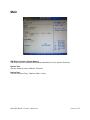
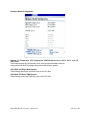
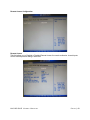
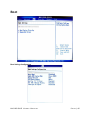
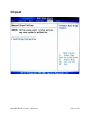
North Bridge Configuration
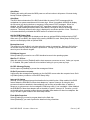
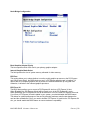
Boot Graphics Adapter Priority
This item specifies which VGA card is your primary graphics adapter.
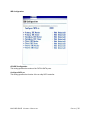
Internal Graphics Mode Select
The field specifies the size of system memory allocated for video memory.
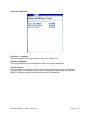
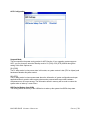
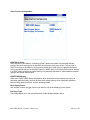
PEG Port
This setting allows you to select whether to use the onchip graphics processor or the PCI Express
card. When set to [Auto], the BIOS checks to see if a PCI Express graphics card is installed. If it
detects that a PCI Express graphics card is present, the motherboard boots up using that card.
Otherwise, it defaults to the onboard graphics processor.
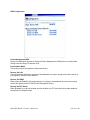
PEG Force X1
This BIOS feature allows you to convert a PCI Express X4 slot into a PCI Express X1 slot.
When [Enabled], the PCI Express X4 slot will be forced to run in the PCI Express X1 mode.
When [Disabled], the PCI Express X4 slot will be allowed to run in its normal PCI Express X4 mode.
If you have a PCI Express X4 card installed in your system, you should disable this BIOS feature.
This allows for optimal performance of the card by ensuring maximum transfer rates between the
card and the motherboard. But if you need to install a PCI Express X1 card into the PCI Express X4
slot, you should enable this BIOS feature to ensure maximum compatibility.
MX965GME USERS MANUAL
P A G E | 51