1
Quick Start Guide
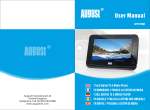
DA110BD
User Manual
Thank you for buying our August TV. You may already be familiar with using
a similar product but please take time to read these instructions carefully. It is
designed to familiarise you with the product’s many features and to ensure
that you get the very best from your purchase.
Safety
To ensure your safety and the safety of others, please ensure you read the
Safety Instructions before you use this product.
Disposal
Please ensure the product and its accessories are disposed in compliance with
WEEE (Waste Electrical and Electronic Equipment) Directive and other
regulations. Please check with your local authority for disposal regulations.
Customer Service:
If you need help, please contact our Customer Service:
Telephone:
+44 (0) 870 850 3525
Email:
[email protected]
1. It is suggested that you use a roof top aerial when scanning for TV channels
for the first time, if any signal is detected, the channel information will be
saved on the TV, you may then switch back to the portable antenna supplied
and change your location to find the best place to receive signal.
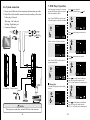
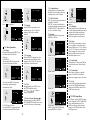
2. When turning on the device for the first time, to search for Digital Freeview
TV, press DVD/DVB to switch to DVB (Freeview TV) mode, it will ask
you to do the “First Time Installation”. Follow the instructions to select
“Country” and start the “Auto Scan”. Once the scan has finished, press
CH+, CH- or EPG to select channels.
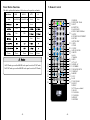
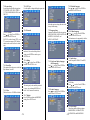
3. To search for Analogue TV, press TV/AV on the remote repeatedly to switch
to Analogue TV mode and you should see either “AUTO”, “PAL” or
“SECAM” at the top right corner of the screen. Press MENU once to enter
the first menu to change “Bright”, “Contrast”, “Colour” and “Language”.
Press MENU again to enter the second menu to search for channels, change
the video system (S-COLOR) between AUTO, PAL and SECAM, and
change the sound system (S-SYS) between I (UK), L (France), BG (other
European countries) and DK (Russia and Asia countries). Press DOWN on
the second menu to select “AUTO-SEARCH”, then press RIGHT to start
searching for channels.
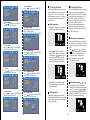
4. If you have done the first time installation before, and would like to search
for Digital Freeview channels again, or if you have moved to a different
region and need to scan for channels again, press DVD/DVB to switch to
DVB (Freeview TV) mode, then press SETUP, press RIGHT repeatedly
until it shows “Auto Scan”, press ENTER to confirm and follow the
instructions on the screen to setup and start the scan. Once the scan has
finished, press CH+, CH- or EPG to select channels.
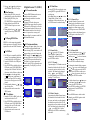
5. To play a DVD or CD, insert the disc into the DVD drive, press DVD/DVB
to switch to DVD mode, press PLAY or wait for the player to load the disc
automatically.