1
AUDIOLINE DECT 3000micro
OPERATIONAL ELEMENTS
2. OPERATIONAL ELEMENTS
2.1
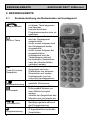
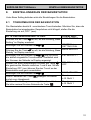
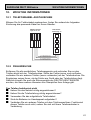
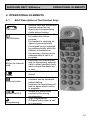
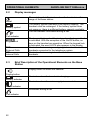
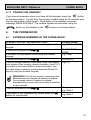
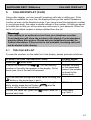
Brief Description of the Handset Keys
Call button
On/Off button
INT
Button for internal
calls
Redial
Secrecy button
Speed Dial/O.K.
Programming
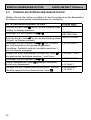
- external calls are started and
finished using this key
- directly exits programming
mode without saving
- the handset is switched off
by holding this button
pressed
- the handset is switched on
again by pressing briefly
- the keypad lock is activated
by pressing briefly while the
handset is switched on
- the receiver volume can be
changed while a call is in
progress
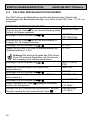
- call button for internal calls
and for transferring external
calls to other handsets (only
when several handsets are
in use)
- repeats the last number
dialled
- deletes numbers entered;
numbers can be corrected
before dialling.
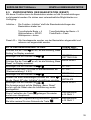
- switches the microphone off
and on again while a call is
in progress
- access the phone book
- confirm button during
programming
- Start programming
- R-Signal button when a call
is in progress
51