1
- T-NET/Private exchanges -
7
T-NET mode / Private exchanges
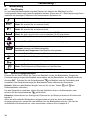
You can use the "R" signal button on your telephone on private exchanges and when using
DEUTSCHE TELEKOM's T-Net functions.
7.1
"R" Button on Private Exchanges
If you have connected your telephone to a private exchange, you can use all the facilities such
as call transfer, automatic recall, etc. The "R" signal button gives you access to these facilities.
The FLASH time "100ms" will be required on a private exchange (Adjustment, see 9.11). You
can find out from the dealer from whom the equipment was purchased whether your telephone
will work on your private exchange without any problems.
7.2
"R" Button and the DEUTSCHE TELEKOM T-Net
Your AUDIOLINE telephone supports the most important DEUTSCHE TELEKOM added value
functions (e.g. brokering, call waiting, three-way conference, etc.). The T-Net works using the
"FLASH 300ms" setting. (Adjustment, see 9.11). Please contact DEUTSCHE TELEKOM to gain
access to T-Net functions.
7.3
Using Pause
With private exchanges, it is necessary to dial a certain number (e.g. "9" or "0") in order to obtain
a dialling tone for an outside line on the extension. With some, older private exchanges, it takes
some time before the dialling tone can be heard. Especially for these private exchanges, an
automatic pause can be inserted after connecting to the outside line so that you can dial directly
without waiting for the dialling tone.
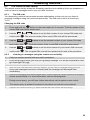
Entering a pause when dialling manually
P/
once between the number for the outside line and the actual
Press the redial button
telephone number. After connecting to an outside line your telephone will wait for 3 seconds
before dialling the actual telephone number.
The pause can also be saved with numbers in the phone book.
54