1
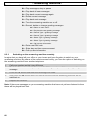
- Phone book 5.2
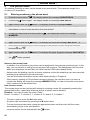
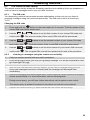
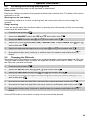
Changing numbers stored in the phone book
/
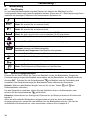
1. Press the menu button
2. Press the
/
. The display will show PHONE BOOK.
button again. The display will show ADD ENTRY
3. Now press the
button. The display will show MODIFY ENTRY.
4. Again confirm with the
alphabetical order.
/
button. The display will now show the stored numbers in
5. Now choose the number that you want to change using the
and
buttons.
/
6. Confirm the selection with the menu button
. In turn, the display will show the name
and the cursor will appear flashing after the last letter.
7. Now change the name using the number pad. You will find information on entering names
in Chapter 5.1.
/
8. After you have completed the required changes, confirm again with the menu button
.
The display will now show the number.
9. Now change the number using the number pad. The individual digits of the phone number
can be deleted by repeatedly pressing the
C/
button.
10. After you have completed the required changes, confirm again with the menu button
The display will show the message MELODY.
11. Now select which melody you wish to assign to this phone number using the selection
buttons
and
/
.
.
12. After you have completed the required changes, confirm again with the menu button
.
The display will show the message MODIFY ENTRY.
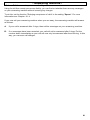
13. If you want to change more numbers proceed as under Item 4. Exit the programming mode
by holding the
5.3
1.
button pressed.
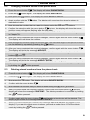
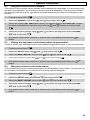
Deleting stored numbers from the phone book
Press the menu button
/
/
. The display will show PHONE BOOK.
2.
Press the
3.
Now press the
button again. The display will show ADD ENTRY.
4.
Confirm with the menu button
button. The display will show DELETE ENTRY.
/
.
5.
Now choose the number that you want to delete using the
6.
After you have found the required number, confirm with the menu button
and the
display will show the message CONFIRM?. The delete procedure is cancelled by holding
8.
buttons.
/
the
7.
and
button pressed.
/
Confirm again with the menu button
and the phone book entry will be deleted. The
display again shows the message DELETE ENTRY.
When you have deleted the number, the message DELETE ENTRY will appear in the
display. If you want to delete more numbers, proceed as under Item 4. Exit the delete
mode by holding the
button pressed.
51