1
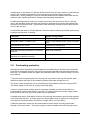
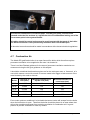
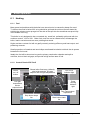
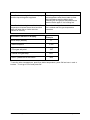
Indication Out of fuel indicator light flashes and pump and fan stop during start up phase. If the flue gas temperature doesn‟t reach the set temperature after the set start up time this light flashes and the boiler stops. Reducing the flue gas set temperature can start the boiler again if it is burning fuel. Out of fuel indicator light on solid shows flue temperature is below the set level and that boiler will stop after a further set time. (Default is 30 mins) The boiler will stop after a set time unless the fire is stoked and flue gas temperature increases. Information shown on display Example Boiler temp (default) 77 > Boiler setpoint C 80 > Flue gas set point 100c > Actual flue gas temp 180° > End – press OK to exit menu End To see the other temperatures, apart from boiler temperature, press OK and use and buttons. To exit go to „End‟ and press OK. © Central Heating New Zealand 37 of 53 August 2011