1
Table of Contents
About this manual.............................................................................................. 6
Conventions used in this E-Manual.............................................................. 7
Typography........................................................................................................... 7
Input mode............................................................................................................ 7
Chapter 1: Parts and features
ASUS ZenWatch.................................................................................................10
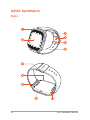
Parts .............................................................................................................10
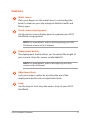
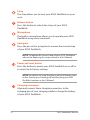
Features.............................................................................................................11
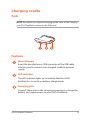
Charging cradle.................................................................................................13
Parts .............................................................................................................13
Features.............................................................................................................13
Chapter 2: Using your ASUS ZenWatch
Adjusting the strap...........................................................................................16
Replacing the strap...........................................................................................17
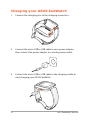
Charging your ASUS ZenWatch...................................................................18
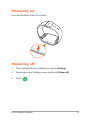
Powering on........................................................................................................19
Powering off........................................................................................................19
Chapter 3: Working with Android Wear
Installing Android Wear app on your phone...........................................22
Pairing for the first time..................................................................................23
Downloading ASUS ZenWatch Manager app on your phone..........25
Navigating your ASUS ZenWatch................................................................26
Waking your ZenWatch.................................................................................26
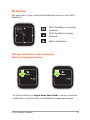
Watch face..........................................................................................................27
Dimming the screen.......................................................................................28
Using voice actions.........................................................................................29
Start apps.............................................................................................................31
Inside Start ........................................................................................................32
ASUS ZenWatch E-Manual
3

































![[PDF:4.7MB]](http://vs1.manualzilla.com/store/data/005740230_1-1ae4d56b6a4c67b9bd1782228090ff43-150x150.png)