1
Contents
Chapter 2: BIOS setup
2.1
Managing and updating your BIOS............................................. 2-2
2.1.1
Creating a bootable floppy disk........................................ 2-2
2.1.3
AFUDOS utility................................................................. 2-4
2.1.2
2.1.4
2.2
2.1.5
BIOS menu screen......................................................... 2-12
2.2.3
Navigation keys.............................................................. 2-12
2.2.5
2.2.6
2.2.7
2.2.8
2.2.9
Menu items.................................................................... 2-13
Sub-menu items............................................................. 2-13
Configuration fields........................................................ 2-13
Pop-up window.............................................................. 2-13
Scroll bar........................................................................ 2-13
General help.................................................................. 2-13
2.3.1
System Time.................................................................. 2-14
2.3.3
Legacy Diskette A ......................................................... 2-14
2.3.4
2.3.5
2.3.6
System Date.................................................................. 2-14
Primary, Third, and Fourth IDE Master/Slave........................ 2-15
IDE Configuration........................................................... 2-16
System Information........................................................ 2-17
Advanced menu.......................................................................... 2-18
2.4.1
Jumperfree Configuration.............................................. 2-18
2.4.3
CPU Configuration......................................................... 2-21
2.4.2
2.4.4
2.4.5
2.4.6
USB Configuration......................................................... 2-19
Chipset . ........................................................................ 2-23
Onboard Devices Configuration..................................... 2-25
PCI PnP......................................................................... 2-26
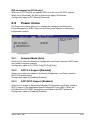
Power menu................................................................................. 2-27
2.5.1
Suspend Mode............................................................... 2-27
2.5.3
ACPI APIC Support........................................................ 2-27
2.5.2
iv
Menu bar........................................................................ 2-12
Main menu................................................................................... 2-14
2.3.2
2.5
ASUS Update utility......................................................... 2-8
2.2.1
2.2.4
2.4
ASUS CrashFree BIOS 3 utility....................................... 2-6
BIOS setup program................................................................... 2-11
2.2.2
2.3
ASUS EZ Flash 2 utility.................................................... 2-3
ACPI 2.0 Support........................................................... 2-27