1
I n t e l® M a t r i x S t o r a g e
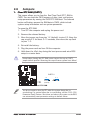
e. The Intel® Matrix Storage technology supported
by the ICH6R chip allows you to create a RAID 0 and a RAID 1 set using
only two identical hard disk drives. The Intel® Matrix Storage technology
creates two partitions on each hard disk drive to create a virtual RAID 0
and RAID 1 sets. This technology also allows you to change the hard disk
drive partition size without losing any data.
If you want to boot the system from a hard disk drive included in a
created RAID set, copy first the RAID driver from the support CD to a
floppy disk before you install an operating system to the selected hard
disk drive. Refer to section “5.6 Creating a RAID driver disk” for details.
5.5.1
Installing hard disks
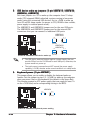
The motherboard supports Ultra DMA /133/100/66 and Serial ATA hard
disk drives. For optimal performance, install identical drives of the same
model and capacity when creating a disk array.
Installing Parallel ATA hard disks
To install IDE hard disks for a RAID configuration:
1.
Set the jumpers of each hard disk as Master/Master or Slave/Slave.
2.
Install the hard disks into the drive bays.
3.
Connect the HDD signal cables.
4.
Connect a 4-pin power cable to the power connector on each drive.
Installing Serial ATA (SATA) hard disks
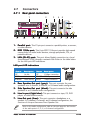
To install the SATA hard disks for a RAID configuration:
1.
Install the SATA hard disks into the drive bays.
2.
Connect the SATA signal cables.
3.
Connect a SATA power cable to the power connector on each drive.
Refer to the RAID controllers user manual on the support CD for detailed
information on RAID configurations.
5-20
Chapter 5: Software support