1
2.3
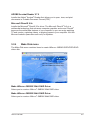
Main menu
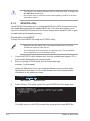
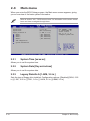
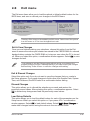
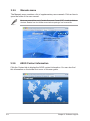
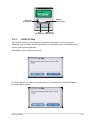
When you enter the BIOS Setup program, the Main menu screen appears, giving
you an overview of the basic system information.
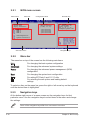
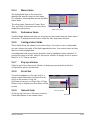
Refer to section “4.2.1 BIOS menu screen” for information on the menu screen
items and how to navigate through them.
System Time
System Date
Legacy Diskette A
SATA 1
SATA 2
SATA 3
SATA 4 [11:51:19]
[Mon 05/15/2006]
[1.44M, 3.5 in]
:[Not
:[Not
:[Not
:[Not
Detected
Detected]
Detected]
Detected]
Use [ENTER], [TAB]
or [SHIFT-TAB] to
select a field.
Use [+] or [-] to
configure system time.
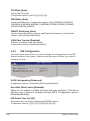
IDE Configuration
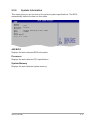
System Information
2.3.1
System Time [xx:xx:xx]
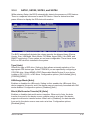
Allows you to set the system time.
2.3.2
System Date [Day xx/xx/xxxx]
Allows you to set the system date.
2.3.3
Legacy Diskette A [1.44M, 3.5 in.]
Sets the type of floppy drive installed. Configuration options: [Disabled] [360K, 5.25
in.] [1.2M , 5.25 in.] [720K , 3.5 in.] [1.44M, 3.5 in.] [2.88M, 3.5 in.]
2-14
Chapter 2: BIOS setup