1
1
MY INFORMATION
SWITCH
You can timer-activate the radio for a daily radio
prc~gram. The unit turns on and off in Radio mode
at i,he preset time automatically.
2
1
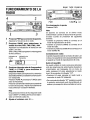
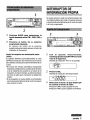
Press BAND to select a desired band
from among FMI, FM2, FM3 and AM.
2
Press the desired Preset station button.
The number of the” pressed preset station
button is displayed next to the frequency
indication.
Active tuning reception control (ATRC)
This unit automatically suppresses FM noise
caused by varying signal strength resulting from
movement of the car.
●The built-in automatic blending circuit mixes the
left and right channel signals according to the
strength of the reception. At the same time, the
high-cut circuit activates to maintain the sound
quality.
● If the reception
becomes even weaker, the unit
automatically switches to Monaural mode to
reduce noise.
2
3
1
~
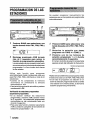
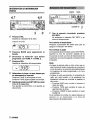
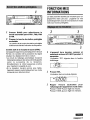
With the unit off, press and hold MY
INFO for more than 2 seconds.
The “PO indication flashes in the display
window.
z
Press SEL.
Timer indication flashes.
3
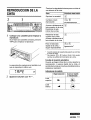
Set the time you wish the unit to turn on
in Radio mode.
Press TUNE7 to set the hour.
Press TUNEA to set the minute.
mm
ENGLISH
8