1
Shuttle
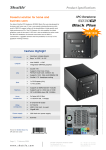
K-Series Barebone
K45
...
Web
Surfing
Instant
Messaging
Office
Applications
Changeable
Front Image
Smart Budget Solution
For Simple Tasks
Shuttle K-Series Barebone K45
Feature Highlights
•
•
•
•
•
•
•
•
•
•
•
Small cube design: only nine litres
Customizable front design
Supports Intel Core 2 Duo
65/45nm, up to 1333 MHz FSB
Intel 945GC + ICH7 chipset
Intel onboard graphics with VGA output
Supports two hard disks and one PCI card
2x DDR2-667, up to 2 GB max.
Gigabit LAN, 4x USB, 5.1 Audio
Legacy ports: PS/2, LPT, COM
Optional integrated Wireless LAN module
Energy efficient 100W FlexATX power
supply
Dimensions
Smallest Shuttle cube PC ever
Other:
Midi Tower:
50 Litres
Big Tower:
65 Litres
Shuttle
K-Series
9 Litres
17 cm
19 cm
28 cm
Shuttle
G-Series
11.5 Litres
Shuttle
P-Series
15 Litres
Design
Front Design: Clean and Stylish
Acrylic front
plate
Hard disk
LED
Power
LED
Power
button
Aluminium
cover
Front View
Enhanced Security
•
•
No optical drive or USB ports on the front panel
to avoid data theft
Ideal as network client or “Info Centre”
Rear View
Connectors
•
•
•
100W
Power
Supply
PCI Slot
•
•
•
•
PS/2
Parallel
PS/2 COM
VGA
LAN
4xUSB 5.1 Audio
Various connectors for daily use
Flexible: 4x USB 2.0
Serial + parallel ports, especially
used for industrial applications
Gigabit LAN port for fast
Ethernet connections
Audio ports for headset or
5.1 surround sound
Intel GMA950 DX9 graphics with
VGA port (224MB UMA)
PCI slot for second network port
(server), special expansion card
or PCI graphics card
Mainboard Layout
PCI-Slot
Socket 775 (65/45nm)
max. 1333MHz FSB
Onboard USB e.g.
for an optional
WLAN module
Chipset: Intel 945GC
with passive cooling
2x SATA + IDE
2x DDR2 slots
Scalable Solution
Thin Client or Workstation? - It is your choice!
Celeron … Core 2 Duo (<= 65W TDP)
1 or 2 hard disks (2x 3.5”)
Optional WLAN
256MB … 2GB (DDR2-667)
PCI card
Linux … Windows Vista
Cooling system
Temperature-controlled cooling fan
The Shuttle KPC Barebone K45 is delivered without processor cooler. Intel
standard coolers are to be used which are included with Intel “boxed”
processors. The fan speed of the CPU fan and the rear fan is controlled by
the Smart Fan option in the BIOS.
Rear cooling fan
Intel “boxed” cooling fan (not included)
Low power
Less power consumption
The Shuttle Barebone K45 is not only small when it comes to dimensions, but
also works highly energy efficient. While a standard office system draws
approx. 100W in normal operation (without screen), the K45 configured as a
typical office PC only draws 47W in idle mode and 59W under full load.
Configuration under test:
• System: Shuttle KPC Barebone K45
• Operating System: OpenSUSE Linux
• Processor: Intel Celeron 430 (1.8GHz, TDP=35W)
• Memory: 2x 1GB DDR2-667
• Hard disk: 1x 80GB (3.5”)
Shuttle 100W power supply
Applications
Local Network Client
•
•
Ideal use as fast network client
with Gigabit LAN
PXE (Preboot Execution Environment)
enables boot from LAN - no hard disk
required
Call Centre
Office
P.O.S.
Library
Applications
Special Applications
Device Networking
The KPC can be used to control external
devices over serial port, LAN or WLAN in a wide
variety of applications including industrial
automation, security, building automation,
medical / healthcare, retail / POS, public
institutions and many more.
Info Centre
Use the KPC for your
presentations.
Home Server
Set up the centre of
your home network
to access your files
from remote.
Software Installation
Software Installation without a 5.25” bay
1) External DVD drive via USB
2) DVD drive by flying wires
(IDE/SATA)
3) Installation from
a USB Stick
Linux or Windows
4) Boot/Install from LAN (PXE)
5) Duplicate the hard disk
(for mass production)
Customizable Design
MyKover™ - Individual Front Panel Design
The acrylic front plate can
easily be removed in order to
create individual designs for
the front panel.
Please download sample images here:
http://global.shuttle.com/Event/kpc/index5.html
Optional Accessories
Optional Accessories for the Shuttle K-Series Barebone K45
WLAN Module (PN20)
250W Power Supply (PC40)
Comparison
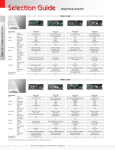
Shuttle Entry-Level Barebones – In Comparison
Conclusion
Smart Budget Solution For Simple Tasks
The Shuttle K-Series Barebone K45 is a great
choice for basic computing needs such as
office applications and web surfing in the
business segment. The K45 is a small and
stylish PC platform with low power
consumption that seamlessly integrates into a
network using its Ethernet or an optional
WLAN interface. This affordable entry-level
platform targets SME, corporate, public and
educational institutions. Easily set up an ideal
Mini-PC to manage any simple everyday
applications in a snap while banking on
Shuttle's high reliability.
...
Web
Surfing
Instant
Messaging
Office
Applications
Changeable
Front Image
Technical Specifications
Shuttle K-Series Barebone K45 Specifications
FORM FACTOR
GIGABIT ETHERNET
• Shuttle form factor 28 x 19 x 17 cm (LWH)
• Shuttle K-chassis with Aluminum cover
• Marvell 8056
• Compliant to IEEE 802.3u 1000Base-T
• Supports 10Mb/s, 100Mb/s and 1000Mb/s
• Supports Wake-On-LAN
PROCESSOR
• Intel® Core™ 2 Duo / Pentium Dual-Core
and Celeron 400 Series
• 533/800/1066/1333 MHz FSB
• LGA775 CPU design
SATA/IDE CONNECTORS
• 1x UltraDMA 100 IDE
• 2x SATA 3.0Gb/s
CHIPSET
POWER SUPPLY
• North Bridge Intel® 945GC
• South Bridge ICH7
• 100W Flex-ATX power supply
• Input voltage: 100-240V AC
MEMORY
DRIVE BAYS
• 2 x DDR2 533/667 (Overclocking up to 833MHz)
• Supports Dual-Channel-Operation up to 1GB
per DIMM-Socket (total size max 2GB)
• 2x 3.5” bays (internal)
• no 5.25” bays
EXPANSION SLOTS
6-CHANNEL HD-AUDIO
• Realtek ALC662
• With analog 5.1 channel outputs
• Connectors swithable to Line-in/out and
Microphone
• 1x PCI slot (32 bit)
FRONT PANEL
• 1x Hard Disk LED
• 1x Power LED
• 1x Power Button
BACK PANEL
• 1x VGA (D-Sub, analog)
• 4x USB 2.0
• 1x RJ45 Gigabit Ethernet
• 3x Audio connectors (5.1)
• PS/2 mouse connector
• PS/2 keyboard connector
• Serial port (COM)
• Parallel port (LPT)
• Perforation for optional Wireless LAN
ACCESSORIES
• Installation Guide
• Driver CDROM
• SATA cable
• Power cord