Download Intel Server Platform SRKA4
Transcript
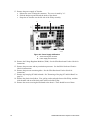
Top Cover .......................................................................................................................... 51 Removing the Top Cover ........................................................................................... 51 Installing the Top Cover ............................................................................................. 51 Memory Retention Bar ....................................................................................................... 52 Removing the Memory Retention Bar ........................................................................ 52 Installing the Memory Retention Bar .......................................................................... 52 SKA4 Baseboard................................................................................................................ 53 Removing the Baseboard .......................................................................................... 53 Installing the Baseboard ............................................................................................ 55 Accessing Baseboard Components.................................................................................... 57 Power Subsystem .............................................................................................................. 58 Removing a Power Supply Module ............................................................................ 59 Installing a Power Supply Module .............................................................................. 60 Removing a Power Subsystem Bay........................................................................... 60 Installing a Power Subsystem Bay............................................................................. 61 Cooling System .................................................................................................................. 62 Removing a Fan Board Assembly.............................................................................. 62 Installing a Fan Board Assembly................................................................................ 63 Replacing the Fan Board ........................................................................................... 64 Removing Individual Fans.......................................................................................... 65 Installing Individual Fans............................................................................................ 65 Hard Drive Bay ................................................................................................................... 66 Removing the Hard Drive Bay ................................................................................... 66 Installing the Hard Drive Bay ..................................................................................... 67 Peripheral Devices ............................................................................................................. 68 Removing a Drive from the Configurable Media Bay ................................................. 68 Installing a Drive in the Configurable Media Bay........................................................ 68 Replacing a Drive in the Device Bay .......................................................................... 69 Drive Cabling Considerations..................................................................................... 69 7 Solving Problems Resetting the System ......................................................................................................... 71 Initial System Startup ......................................................................................................... 71 Initial System Startup Checklist ................................................................................. 71 Running New Application Software..................................................................................... 72 Application Software Checklist................................................................................... 72 After the System Has Been Running Correctly ................................................................... 72 System Checklist ....................................................................................................... 72 Specific Problems and Corrective Actions .......................................................................... 73 Power Light Does Not Light ....................................................................................... 73 No Beep Codes ......................................................................................................... 73 No Characters Appear on Screen .............................................................................. 73 Characters Are Distorted or Incorrect ........................................................................ 74 System Cooling Fans Do Not Rotate Properly ........................................................... 74 Diskette Drive Activity Light Does Not Light ............................................................... 75 Hard drive Activity Light Does Not Light..................................................................... 75 CD-ROM Drive Activity Light Does Not Light ............................................................. 75 Network Problems ..................................................................................................... 76 iv SRKA4/ISP4400 Server System Product Guide