1
BenQ DC 5530 User’s Manual
English
Note
•
It is not possible to copy from SD memory card to internal memory.
3.2.8 Changing the Camera Startup Logo
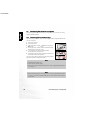
You can specify the start up logo for your camera. You can select the new logo among the taken
still images.
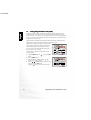
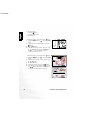
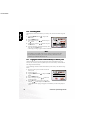
To activate the new startup logo, follow the steps below:
1. Toggle the MODE button to
button.
, and press the SET
2. Display the still image you want to specify using the
/
buttons.
3. Press the MENU button.
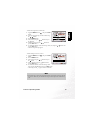
4. Select [Save As Logo] using the /
buttons and
press the
button.
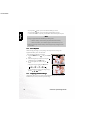
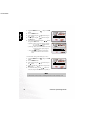
5. To set the new logo, select [Yes] using the /
buttons and press the SET button.
• Toggle the
button to exit from the menu mode.
• This new logo will be activated on the next time you turn on the camera.
3.2.9 Setting the DPOF
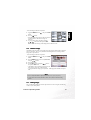
DPOF is a standard for recording printing information directly on the SD memory cards and
other media. Files saved in the DPOF format can be printed using compatible printers or
through a laboratory printing device.
To set the DPOF setting on a still image:
Camera Operating Mode
17