1
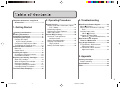
Table of Contents
Telephone Assistance / Supplies &
Accessories ............................................ 4
1. Getting Started
Safety Considerations ......................... 6
Handling Precautions ............................. 10
Installation Precautions .......................... 11
Transporting the Copier ......................... 12
Carrying the Copier
by the Carrying Handle ...................... 12
Carrying the Copier by the Sides .......... 13
Transporting the Copier by Car ............. 14
Parts and Their Functions ...................... 15
Main Unit ................................................ 15
Control Panel ......................................... 17
Installing the Copier ................................ 18
Checking the Package Contents ........... 18
Installation Procedure ............................ 18
Replacing and Storing Cartridges ......... 19
About the Cartridge ............................... 19
When to Replace the cartridge .............. 20
Replacing Cartridges ............................. 21
Cartridge Handling Precautions ............ 23
Cartridge Storing Precautions ............... 24
The Clean Earth Campaign .................... 25
2. Operating Procedure
3. Troubleshooting
Normal Copying ....................................... 30
Making 10 or more Continuous Copies
(The F Mode) ..................................... 31
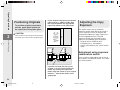
Positioning Originals .............................. 32
Adjusting the Copy Exposure ................ 32
About Copy Stock .................................. 34
Various Ways to Copy ............................. 35
Postcards, Transparencies
and Other Stock ................................. 35
Making Two-sided Copies ..................... 36
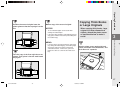
Copying Thick Books or
Large Originals .................................. 37
Making Two-color Copies ...................... 38
When Error Indicators Appear ............... 42
When
Flashes .................................. 42
When Letters or Numbers Light Up /
Flash .................................................. 43
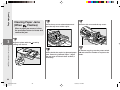
Clearing Paper Jams
Flashes) ............................ 44
(When
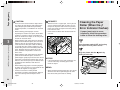
Cleaning the Paper Roller
(When the Error Indicator flashes) ... 46
What to Do If You Suspect
There is a Malfunction ........................ 48
Copy Image Problems ............................. 50
If Light Bands / White Streaks
Appear on Copies .............................. 50
If Dark Bands / Black Streaks
Appear on Copies .............................. 50
4. Appendix
Cleaning the Copier ................................ 54
Routine Cleaning ................................... 55
Specifications .......................................... 56
Index .......................................................... 57
3
01/ PC140-USA
3
10/10/03, 7:35 AM