1
Getting Started
This section explains how to connect audio/video components and speakers to the receiver, and how to connect the
power supply.
Before Installation
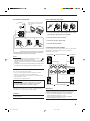
Connecting the FM and AM Antennas
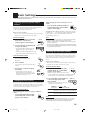
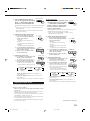
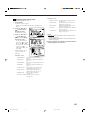
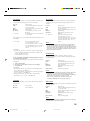
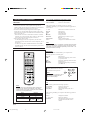
FM Antenna Connections
General
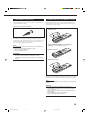
• Be sure your hands are dry.
• Turn the power off to all components.
• Read the manuals supplied with the components you are going to
connect.
A
A
NN
TE
AN
B
75
FMAXIAL
A
NN
TE
AN
CO
75
FMAXIAL
CO
Locations
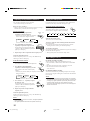
• Install the receiver in a location that is level and protected from
moisture.
• The temperature around the receiver must be between –5˚ C and
35˚ C (23˚ F and 95˚ F).
• Make sure there is good ventilation around the receiver. Poor
ventilation could cause overheating and damage the receiver.
AMP
O
LO
AM
T
EX
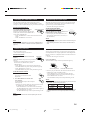
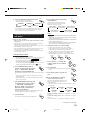
Extend the supplied FM antenna horizontally.
ANTENNA
FM 75
COAXIAL
• Do not insert any metal object into the receiver.
• Do not disassemble the receiver or remove screws, covers, or
cabinet.
• Do not expose the receiver to rain or moisture.
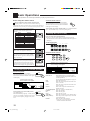
Check to be sure you have all of the following items, which are
supplied with the receiver.
The number in the parentheses indicates quantity of the pieces
supplied.
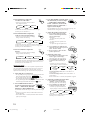
• Remote Control (1)
AM
LOOP
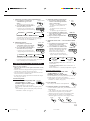
Outdoor FM Antenna Cable
AM
EXT
A. Using the Supplied FM Antenna
The FM antenna provided can be connected to the FM 75 Ω
COAXIAL terminal as temporary measure.
B. Using the Standard Type Connector (Not Supplied)
A standard type connector should be connected to the FM 75 Ω
COAXIAL terminal.
• Batteries (2)
• AM Loop Antenna (1)
Note:
• FM Antenna (1)
If anything is missing, contact your dealer immediately.
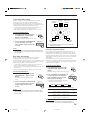
If reception is poor, connect the outdoor antenna.
Before attaching a 75 Ω coaxial cable (the kind with a round wire
going to an outdoor antenna), disconnect the supplied FM antenna.
3
EN01_10.RX-8010V[J]_f
AM
T
EX
FM Antenna
Handling the receiver
Checking the Supplied Accessories
AMP
O
LO
3
01.1.11, 5:51 PM