1
0337-1E Prod a.fm Page 22 Wednesday, February 7, 2001 11:03 AM
SPECIAL FEATURES
Other Adjustments
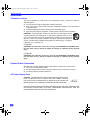
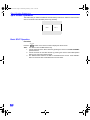
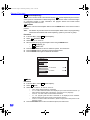
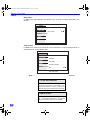
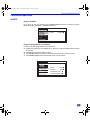
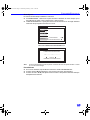
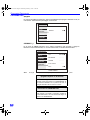
In Picture menu under OTHER ADJ. select:
r SCAN MODE - Select TV mode (frame doubling) for optimum detail and clarity. Select
Game mode (line doubling) to optimize picture when playing complex, fast action video
games.
r COLOR MATRIX - Select HD or SD to automatically adjust color parameters for HD (high
definition) and SD (standard definition).
Note:
When viewing a non-standard DTV signal format, you can change color
parameters manually for the best picture quality.
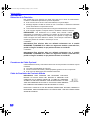
PICTURE
VIDEO ADJ1
VIDEO ADJ2
SCAN MODE
OTHER ADJ.
COLOR MATRIX
u
SD u
TV
AUDIO
Dolby Center Mode & Fixed Audio Out
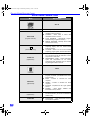
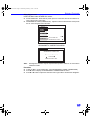
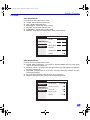
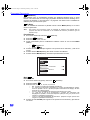
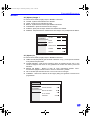
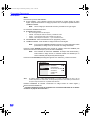
In AUDIO menu under SPEAKERS, select DOLBY CENTER MODE & FIXED AUDIO OUT to
make the television the surround sound center channel. (See Installation section for Home
Theater Connection).
AUDIO
AUDIO ADJ.
OTHER ADJ.
SURROUND
SPEAKERS
22
DOLBY CENTER MODE
& FIXED AUDIO OUT
u