1
Contents
English
General Information
Disc Operations
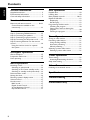
Supplied accessories ............................................ 9
Environmental information ................................ 9
Care and safety information .............................. 9
Playable discs ....................................................... 18
Loading discs ....................................................... 18
Basic playback controls .............................. 18–19
Repeat and Shuffle .............................................. 19
Repeat play ....................................................... 19
Random play ..................................................... 19
Programming the disc tracks ........................... 19
Checking the program ................................... 20
Playing a disc without clearing the
program ............................................................. 20
Clearing the program ..................................... 20
Functional Overview
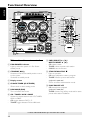
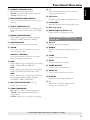
Main unit and remote control .................. 10–11
Control buttons available on the
remote only ...................................................... 11
Connections
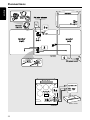
Step 1: Connecting FM/AM antennas ............. 13
Step 2: Connecting the speakers .................... 13
Step 3: Connecting to game console ............. 13
Step 4: Connecting the AC power cord ........ 13
Step 5: Inserting batteries into the remote
control .................................................................. 14
Using the remote control to operate
the system ........................................................ 14
Tuner Operations
Tuning to radio stations .................................... 21
Presetting radio stations ................................... 21
Using the Plug and Play .................................. 21
Automatic presetting ..................................... 21
Manual presetting ............................................ 21
Selecting a preset radio station ....................... 21
Deleting a preset radio station .................... 21
Gameport Operations
About Gameport ............................................... 15
Preparation before use ..................................... 15
Start operating .................................................... 15
Timer Operations
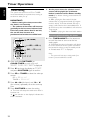
Timer setting ....................................................... 22
Activating/Deactivating the timer ................ 22
Sleep timer setting ............................................. 23
Basic Operations
Switching on/off .................................................. 16
Switching to active mode .............................. 16
Switching to Eco Power standby mode ..... 16
Switching to standby mode (view clock) ... 16
Demonstration mode ........................................ 16
Setting the clock ................................................. 16
Dimming system’s display screen .................... 17
Volume control ................................................... 17
Sound control ..................................................... 17
MAX sound ...................................................... 17
Digital Sound Control .................................... 17
Virtual Ambience Control ............................. 17
Dynamic Bass Boost ....................................... 17
8
Other Connection
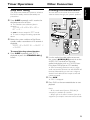
Listening to an external source ...................... 23
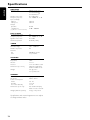
Specifications ........................................... 24
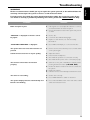
Troubleshooting .................................... 25
Limited Warranty ................................ 26