1
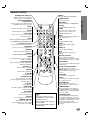
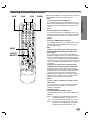
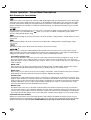
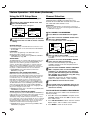
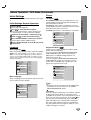
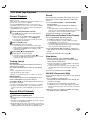
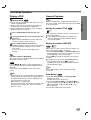
Remote Control
POWER
OPEN/CLOSE, EJECT (Z)
Switches DVD+VCR ON and OFF.
- Opens and closes the disc tray.
- Ejects the tape in the VCR deck.
Selects sound mode.
PROLOGIC II
Select the output source (DVD,VCR, AUX
or RADIO) to view on the TV screen.
Selects sound mode of PROLOGIC II.
BY PASS
LEVEL
Sets PRO LOGIC II mode to Off
Sets the sound level of each speaker.
CLEAR
DELAY
Removes a track number on the
program menu or a mark on the
MARKER SEARCH menu.
Sets the delay time of each speaker.
TEST TONE
A hiss noise comes out for 2 seconds
from each speakers.
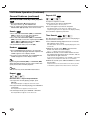
AUDIO
Selects an audio language (DVD) or an
audio channel (CD).
MUTE
Turns off sound from speaker connectors, AUDIO OUT and RF OUT jacks.
ZOOM
Enlarges DVD video image.
0-9 numerical buttons
ANGLE
Selects a DVD camera angle if
available.
Selects numbered options in a menu.
PROGRAM
SUBTITLE
Accesses or removes Program menu.
Selects a subtitle language.
MARKER
TITLE
Marks any point during playback.
Displays the disc’s Title menu, if
available.
SEARCH
Displays MARKER SEARCH menu.
DISPLAY, CLK/CNT
INPUT
Accesses On-Screen display.
Switches among the clock, tape counter
and tape remaining modes on the display.
To select the VCR deck’s source (Tuner,
LINE 1, or LINE 2).
OUTPUT SELECT
SETUP, MENU
Cycles through the 3 main output views:
DVD, Tuner and VCR.
Accesses or removes DVD setup menu
and VCR menu.
VOLUME (+/–)
b/B/v/V (left/right/up/down)
Adjusts volume of speaker.
- Selects an option in the menu
- CH/TRK (v/V): Selects channel of VCR.
Adjusts manually the tape’s picture
onscreen.
RETURN
Removes the setup menu.
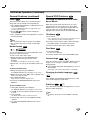
STOP (x)
DISC MENU
Stops playback.
Accesses menu on a DVD disc.
PAUSE/STEP (X)
TV/VCR
Pause playback or recording
temporarily/press repeatedly for frameby-frame playback.
To view channels selected by the VCR
tuner or by the TV tuner.
SELECT/ENTER
PLAY (N)
- Acknowledges menu selection.
- Displays functions on the TV screen.
Starts playback.
REC/ITR (z)
FORWARD (>)
Records normally or activates Instant
Timer Recording.
Search forward*/go to next chapter or
track (DVD). Advances the tape during
the STOP mode or for fast forward picture search. (VCR)
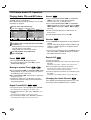
A-B, SPEED
- Repeats sequence.
- Selects recording speed
REPEAT
Repeat chapter, track, title, all.
RANDOM, CM SKIP
- Plays tracks in random order.
- Fast forwards picture search through
30 seconds of recording.
ote
This remote control uses the
same buttons for VCR or DVD
functions (ex. PLAY).
When using the VCR, first press
the VCR button.
When using the DVD, first press
the DVD button.
BACKWARD (.)
Search backward*/go to beginning of
current chapter or track or go to previous chapter or track (DVD). Rewinds the
tape during the STOP mode or for fast
reverse picture search. (VCR)
* Press and hold button for about two
seconds.
9
INTRODUCTION
SOUND EFFECT
AUX/DVD/VCR/RADIO
select buttons