1
Disc Operations
Operations for video playback
(DVD/VCD/SVCD)
English
Selecting various repeat/shuffle
functions
Repeat and Shuffle
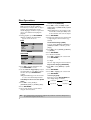
Using the Disc Menu
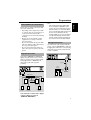
• While playing a disc, press REPEAT
continuously to choose a ‘Play Mode’.
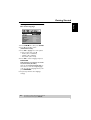
Depending on the disc, a menu may appear
on the TV screen once you load in the disc.
DVD
To select a playback feature or item
• Use 1 234 or numeric keypad
(0-9) on the remote, then press
ENTER/OK to start playback.
➔ RPT ONE (repeat chapter)
➔ RPT TT (repeat title)
➔ SHUFFLE (shuffle)
➔ RPT SHF (shuffle repeat)
➔ RPT OFF (repeat off)
VCD/SVCD/CD
➔ RPT ONE (repeat track)
➔ RPT ALL (repeat disc)
➔ SHUFFLE (shuffle)
➔ RPT SHF (shuffle repeat)
➔ RPT OFF (repeat off)
MP3/DivX
➔ RPT ONE (repeat track)
➔ RPT FLD (repeat folder)
➔ SHUFFLE (random play)
➔ RPT OFF (repeat off)
Helpful Hint:
– For VCD, repeat playback is not possible if
the PBC mode is switched on.
Repeating a section within a
chapter/track
To access or remove the menu
• Press MENU on the remote.
Zooming in
This function allows you to enlarge the
picture on the TV screen and to pan
through the enlarged picture.
1 During playback, press ZOOM repeatedly
to display the picture with different scales.
➜ Use 1 234 to pan through the
enlarged picture.
➜ Playback will continue.
2 Press ZOOM repeatedly to return to the
original size.
Resuming playback from the last
stopped point
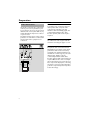
1 While playing a disc, press A-B at your
chosen starting point.
2 Press A-B again at your chosen end point.
➜ The section A and B can be set only
within the same chapter/track.
➜ The section will now repeat
continuously.
Resume playback of the last 10 discs is
possible, even if the disc was ejected or the
power switched off.
• Load one of the last 10 discs.
➜ “LOADING” appears.
• Press PLAY B and the disc will be
played back from the last point.
3 To exit the sequence, press A-B.
To cancel resume mode
• In stop mode, press STOP 9 again.
TIPS:
The operating features described here might not be possible for certain discs. Always refer to
the instructions supplied with the discs.
11