1
Functional Overview
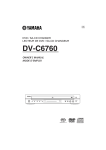
STANDBY/ON
– turns on this unit or sets it to the
standby mode
Disc tray
/ OPEN/CLOSE
– opens or closes the disc tray
PROGRESSIVE indicator
– lights up when the unit enters
Progressive mode
English
Front and Rear Panels
9 STOP
– stops playback
; PAUSE
– pauses playback
B PLAY
– starts playback
Front panel display
– shows information about the
operational status of the unit
* Press button for about two seconds.
AC Power Cord
– connects to a standard AC outlet
COAXIAL digital audio output
– connects to a digital (coaxial) input of
your AV receiver or stereo system
OPTICAL digital audio output
– connects to a digital (optical) input of
your AV receiver or stereo system
VIDEO output
(composite video out)
– connects to a video input on your AV
receiver
AUDIO OUT (Left/Right)
– connect to AUDIO inputs
of your AV receiver
or stereo system
COMPONENT video outputs
– connect to an AV receiver with Y
PB PR inputs
S VIDEO output
– connects to an S-Video input on
your AV receiver
Caution: Do not touch the inner pins of the jacks on the rear panel.
Electrostatic discharge may cause permanent damage to the unit.
3