1
Function Setting
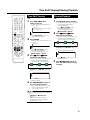
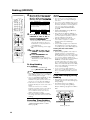
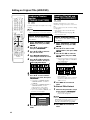
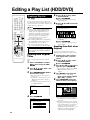
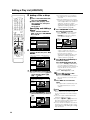
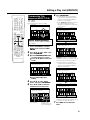
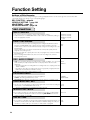
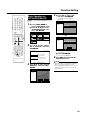
Initialization
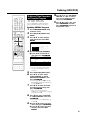
Finalization
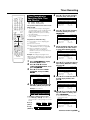
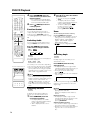
Before recording to DVD-RW, initialize the disc in VR mode
or Video mode.
You can also initialize the HDD. Initialize the HDD only after
dubbing important recordings onto DVD-R/RW disc(s).
Finalization is done so that a recorded DVD-R/RW disc can
be played back with other recorders.
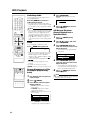
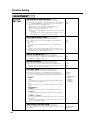
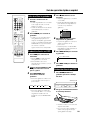
INITIALIZE
INITIALIZE
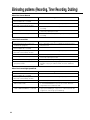
DVD VR MODE INIT.
•When recording with a DVD-RW in VR mode, initialize in VR mode
before you start recording.
(When you initialize, all of the recorded content of the disc is erased.
Before initializing, check the content of the disc so that you do not
erase any content you need.)
•You cannot initialize if “DVD DISC PROTECTION” is set to
“PROTECT”. (page 104)
YES
NO
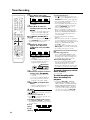
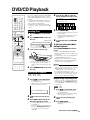
DVD VIDEO MODE INIT.
•When recording with a DVD-RW disc in Video mode, initialize in Video
mode before you start recording.
(When you initialize, all of the recorded content of the disc is erased.
Before initializing, check the content of the disc so that you do not
erase any content you need.)
•You cannot erase with DVD-R disc.
YES
NO
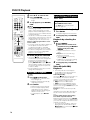
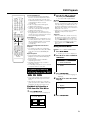
AUTO INITIALIZE
•This sets the Recorder so it automatically initializes any unused DVDRW discs which are loaded into the Recorder.
You can initialize in either VR mode or Video mode.
VR
VIDEO
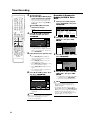
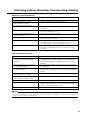
HDD INITIALIZE
•If an HDD error message is displayed, or if you wish to return the HDD
to the state it was in when the Recorder was purchased, initialize the
HDD. All recorded video will be erased. (If you use the “ERASE ALL
TITLES” function to erase the titles, protected titles will remain, but if
you use the HDD initializing function, all titles will be erased.)
Dub any important recordings to DVD-R/RW disc(s) before initializing
the HDD.
YES
NO
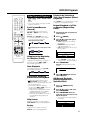
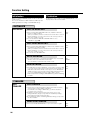
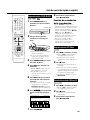
FINALIZE
DVD
FINALIZE
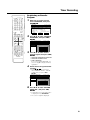
DVD FINALIZE
•Set this when you want to playback a VR mode or Video mode disc
using another recorder capable of playback.
If you finalize a recording on DVD-R disc, you will not be able to
record any more on the disc.
•Finalization can take anywhere from a few minutes to one hour.
During finalization, all types of operation are disabled (including
turning off power and removing the disc).
•Do not unplug the power cord during finalization. Doing so may make
the disc unusable.
YES
NO
UNDO DVD FINALIZE
•This resets a finalized DVD-RW disc so you can record on it again.
106
YES
NO