1
Settings for the Display
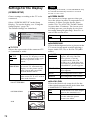
(SCREEN SETUP)
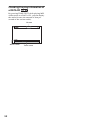
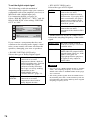
Choose settings according to the TV to be
connected.
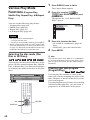
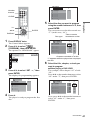
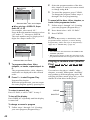
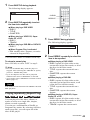
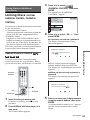
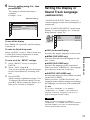
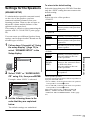
Select “SCREEN SETUP” in the Setup
Display. To use the display, see “Using the
Setup Display” (page 70).
The default settings are underlined.
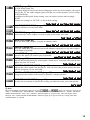
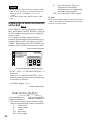
SCREEN SETUP
4:3 LETTER BOX
TV TYPE:
ON
SCREEN SAVER:
JACKET PICTURE
BACKGROUND:
ON
BLACK LEVEL:
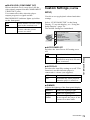
BLACK LEVEL (COMPONENT OUT):
ON
Note
Depending on the DVD, “4:3 LETTER BOX” may
be selected automatically instead of “4:3 PAN
SCAN” or vice versa.
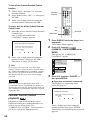
◆ SCREEN SAVER
The screen saver image appears when you
leave the player in pause or stop mode for 15
minutes, or when you play back a Super
Audio CD, CD, or DATA CD (MP3 audio)
for more than 15 minutes. The screen saver
will help prevent your display device from
becoming damaged (ghosting). Press H to
turn off the screen saver.
ON
Turns on the screen saver.
OFF
Turns off the screen saver.
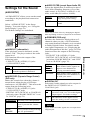
◆ BACKGROUND
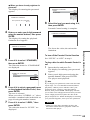
◆ TV TYPE
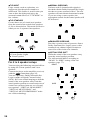
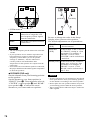
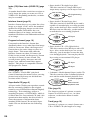
Selects the aspect ratio of the connected TV
(4:3 standard or wide).
4:3
LETTER
BOX
Select this when you connect a
4:3 screen TV. Displays a wide
picture with bands on the upper
and lower portions of the
screen.
4:3
Select this when you connect a
PAN SCAN 4:3 screen TV. Automatically
displays a wide picture on the
entire screen and cuts off the
portions that do not fit.
16:9
Select this when you connect a
wide-screen TV or a TV with a
wide mode function.
4:3 LETTER BOX
4:3 PAN SCAN
16:9
72
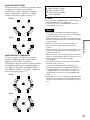
Selects the background color or picture on the
TV screen in stop mode or while playing a
Super Audio CD, CD, or DATA CD (MP3
audio).
JACKET
PICTURE
The jacket picture (still picture)
appears, but only when the
jacket picture is already
recorded on the disc (CDEXTRA, etc.). If the disc does
not contain a jacket picture, the
“GRAPHICS” picture appears.
GRAPHICS A preset picture stored in the
player appears.
BLUE
The background color is blue.
BLACK
The background color is black.
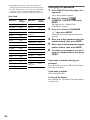
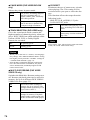
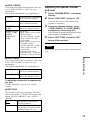
◆ BLACK LEVEL
Selects the black level (setup level) for the
video signals output from the jacks other than
COMPONENT VIDEO OUT.
ON
Sets the black level of the output
signal to the standard level.
OFF
Lowers the standard black level.
Use this when the picture
becomes too white.