1
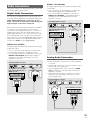
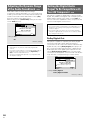
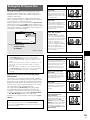
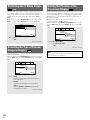
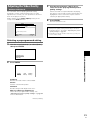
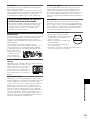
DIGITAL OUT COAXIAL
Audio Connections
This player features two digital (optical and coaxial) and
also analog audio output formats.
Digital Audio Connections
You can enjoy the digital audio recorded on DVD discs
from both optical digital and coaxial digital output jacks.
When making digital audio connections, do not
make connections from both the coaxial and optical
digital outputs to the same component.
The digital signal is transmitted electronically through a
coaxial cable.
• Use to connect to an AV amplifier or receiver with
built-in Dolby Digital, DTS, or MPEG decoder.
• Use a coaxial cable (not supplied) to connect the
DIGITAL OUT COAXIAL (coaxial digital output) on
the player to the coaxial digital input on an AV
amplifier or receiver.
DV-533K (Taiwanese model)
CONTROL
VIDEO OUT
Y
S
IN
COMPONENT
VIDEO OUT
PB
DIGITAL OUT
OPTICAL COAXIAL
AUDIO OUT
AC IN
R
L
PR
AV amplifier or receiver with
built-in Dolby Digital, DTS, or
MPEG decoder
DIGITAL OUT
OPTICAL COAXIAL
DIGITAL IN
MAKING CONNECTIONS
When a DVD recorded in Dolby Digital, DTS, or MPEG
is loaded, noise will be output if you have made
connections via the digital audio jacks to a receiver or
amplifier that cannot decode a Dolby Digital, DTS, or
MPEG digital bitstream. In this case, be sure to set up
the Setup Navigator audio settings to best reflect the
type of system you are using (page 19). Additionally, the
digital audio settings can be adjusted manually in the
Setup screen Audio 1 menu (pages 26, 27).
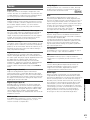
DIGITAL OUT OPTICAL
The digital signal is transmitted as light pulses through
a fiber-optic cable.
• Use to connect to an AV amplifier or receiver with
built-in Dolby Digital, DTS, or MPEG decoder.
• Use a fiber-optic cable (not supplied) to connect the
DIGITAL OUT OPTICAL (digital optical output) on
the player to the digital optical input on an AV
amplifier or receiver.
DV-533K (Taiwanese model)
CONTROL
VIDEO OUT
S
IN
Y
COMPONENT
VIDEO OUT
PB
AUDIO OUT
DIGITAL OUT
OPTICAL COAXIAL
AC IN
R
L
PR
AV amplifier or receiver with
built-in Dolby Digital, DTS, or
MPEG decoder
DIGITAL OUT
OPTICAL COAXIAL
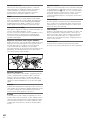
Analog Audio Connection
• When using a microphone, connect like this.
• Make analog audio connections to a stereo amplifier
or receiver.
• Analog audio connections can also be made to a TV or
monitor with stereo input jacks.
• Use the supplied audio cord to connect the AUDIO
OUT on the player to the audio input on the stereo
amplifier or receiver.
• When making analog audio connections, be sure to
match the color of the plugs with the color of the
jacks (red and white).
DV-533K (Taiwanese model)
DIGITAL IN
CONTROL
VIDEO OUT
Y
S
IN
COMPONENT
VIDEO OUT
PB
AUDIO OUT
DIGITAL OUT
OPTICAL COAXIAL
AC IN
R
L
PR
AUDIO OUT
R
Stereo amplifier or receiver
L
AUDIO IN
L
R
15
En