1
Changing password
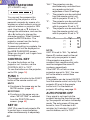
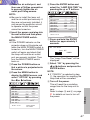
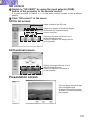
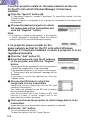
Click "Change password" in the menu.
The user can change the password.
Note:
• Up to16 characters can be used for a
password.
Use alphanumeric characters and
symbols to create a password.
Both upper and lower case letters can
be used.
When using PDA
From a personal digital assistance (PDA) and other portable information terminal, the
user can access this projector to make setting on the projector and to operate data of
the SD card.
For details of PDA and for setting of PDA network cad, refer to manufacturer’s
instruction manual for those devices.
Operation of PDA
Starting the Web browser control (PDA)
Start the browsing software and enter the following address:
http://(the IP address set by the projector)/index_p.htm
Then the Web browser control (PDA) will start.
Notes:
• The English language is used on the Web browser control (PDA) screen.
• Explanation made here uses a PDA, pocket Internet explorer 3.0, for example, with
the screen size being 240 wide and 320 long.
Top screen
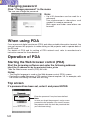
If a password has been set, enter it and press ENTER.
Enter the password if any has been defined.
Note:
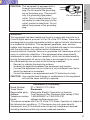
In case you forget the password, assign a new
password to the projector (For security reason,
the projector does not show the password that
you have been using).
120