1
2.
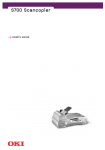
Hold the ADF document cover (3) and insert its studs (4) into
the hinge holes at the rear of the S900.
3
4
4
3.
Close the ADF cover and raise the ADF Tray (5) to an angle of
about 45 degrees.
7
5
6
4.
Pull down the legs (6) under the ADF Tray and locate them in
their support positions.
5.
Pull the ADF Tray extension (7) out until it is fully extended.
APPENDIX D – SETTING UP > 69