1
Input Menu
SETUP
INPUT
RGB
VIDEO
AUTO
IMAGE
OPT.
INPUT Menu
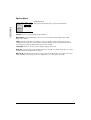
The Input menu displays the options described below:
fH:38kHz
fV:60Hz
E
N
G
L
I
S
H
RGB (computer input only) displays the horizontal and vertical sync signal frequency of an RGB
input source, such as a computer.
Video (video input only) automatically detects and selects the input signal, or you can select the
specific input standard for your country from the list that displays.
Auto automatically adjusts the vertical and horizontal position, phase, and size.
Image Menu
SETUP
INPUT
KEYSTONE
BLANK
MIRROR
START UP
IMAGE
OPT.
IMAGE Menu
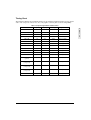
The Image menu displays the options described below:
+1
Keystone corrects image distortion that can occur when the angle of the projection is increased.
Keystone resizes the top or bottom of the projected image.
Blank selects the background color of a blank screen.
Mirror adjusts the orientation of the screen image based upon the placement of the projector.
•
•
•
•
Select Normal for a table-top projection.
Select H: Invert for rear projection.
Select V: Invert for a front projection ceiling mount.
Select H&V: Invert for a rear projection ceiling mount.
Start up selects a start-up screen. You can select or deselect the ViewSonic Welcome screen to
display automatically at start-up.
ViewSonic PJ700
11