1
242 SESA logs
SESA Manager logs
SESA Manager logs
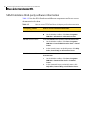
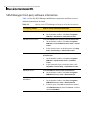
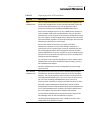
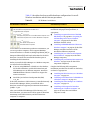
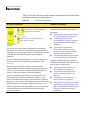
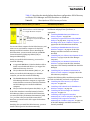
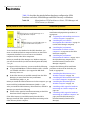
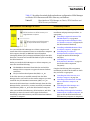
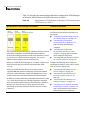
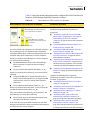
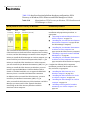
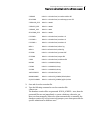
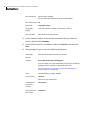
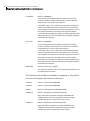
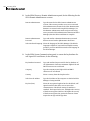
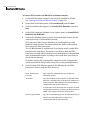
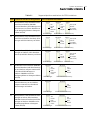
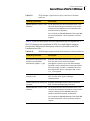
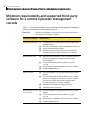
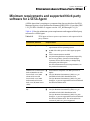
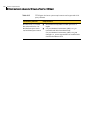
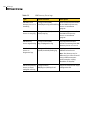
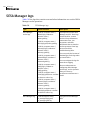
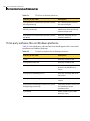
Table C-8 lists logs that contain event and other information as a result of SESA
Manager servlet operations.
Table C-8
SESA Manager logs
Type
Default location
Description
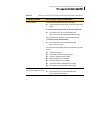
SESA Manager
servlet logs
C:\SESA\<computer name>\
Admin\logs\<random 16character value>\
Admin-guid.log
Correspond to specific SESA
Manager servlets. These logs,
created by SESA, contain
servlet startup information,
connection errors, Java
exceptions, and other
information that is related to
servlet operation. These logs
are most useful for
troubleshooting SESA.
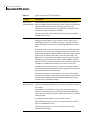
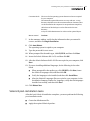
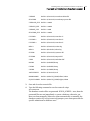
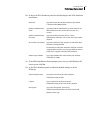
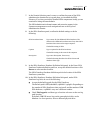
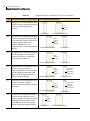
C:\SESA\<computer name>\
Alert\logs\guid\Alert-guid.log
C:\SESA\<computer name>\
Bootstrap\logs\<random 16character value>\
Bootstrap-guid.log
C:\SESA\<computer name>\
command\logs\<random 16character value>\
command-guid.log
C:\SESA\<computer name>\
Config\logs\<random 16character value>\
Config-guid.log
C:\SESA\<computer name>\
Event\logs\guid\Event-<random
16-character value>.log
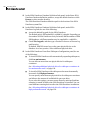
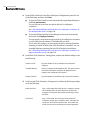
You can specify the location of
the Manager servlet logs when
you install SESA.
You can configure the logs for
more robust logging.
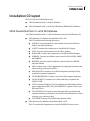
For more information on
configuring SESA Manager
servlet logs, see the Symantec
Enterprise Security
Architecture Administrator’s
Guide.
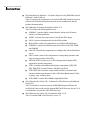
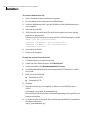
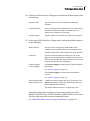
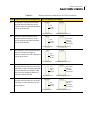
C:\SESA\<computer name>\
Inventory\logs\<random 16character value>\
Inventory-guid.log
C:\SESA\<computer name>\
State\logs\guid\State-<random
16-character value>.log
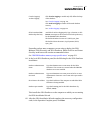
SESA Manager log
C:\SESA\computer name\
ses_manager\logs\guid\
ses_manager-guid.log
Logs general SESA Manager
data.