1
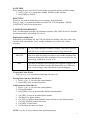
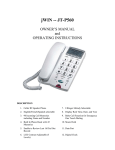
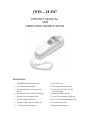
INSTALLATION 1. Insert 4 “AA” 1.5V batteries. Please note the correct position of + and – (Batteries not included.) 2. Connect the phone with the telephone line using the flat cord. 3. Connect the handset to the phone base using the coiled cord. THE DISPLAY The display window, on the back of the handset is a 3-line LCD. - The upper line displays the basic information. - The middle line displays the number of in-coming calls. - The bottom line displays the name of the caller. The following table explains the LCD Messages that will display in the window of your JT-P87: DISPLAY FILTER NEW CALL# RPT# ___:__ AM/PM __/__ MSG VIP REJ DEFINITION The filter function is activated There are new incoming calls Shows the total number of incoming calls Shows the total number of repeated in-coming calls Hour, minute day, night, month, date (Current time & date) Message The displayed number has been set in the VIP memory bank The displayed number has been set in the REJ (rejected) bank If a number was received more than once, the LCD will display only the time and date of the last call. If the time and date of an incoming call is different than that of your Telephone Company (different time zone), the telephone will adjust the time to reflect the time according to your Telephone Company. During periods of inactivity (of 30 seconds or more) the LCD displays only the time and date, total number of received calls, and number of new incoming calls. LED lights up to signal a new incoming call. This telephone can store up to 99 incoming call records. After the 99th call, the oldest record will be erased automatically and the new one will be stored. SETTING UP SELECT LANGUAGE After installing the batteries, the LCD will display “ENTER LANGUAGE”. Then, it will offer the selections: 1. Press [] or [] to select from language options: English, Spanish, or French. 2. Press [DEL] to confirm. SET AREA CODE After setting the language, the LCD will prompt you to enter the area code setting: 1. Press [] or [ ] to select the first digit of the area code. 2. Press [DEL] to confirm. 3. Repeat steps 1 and 2 to select each number of the area code. 2