1
Phaser® 8560
colour printer
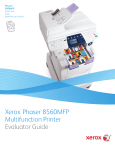
Xerox Phaser ® 8560
Evaluator
Guide
ABOUT THIS GUIDE
This guide will introduce you to the Xerox Phaser 8560 colour printer,
and help you in your printer evaluation process.
CONTENTS
Section 1 — Introducing the Xerox Phaser 8560 Solid Ink Colour Printer
Product Overview. . . . . . . . . . . . . . . . . . . . . . . . . . . . . . . . . . . . . 1
Xerox Phaser 8560 Configurations . . . . . . . . . . . . . . . . . . . . . . . 2
Section 2 — Evaluating Workgroup Colour Printers
Evaluate Printing Performance . . . . . . . . . . . . . . . . . . . . . . . . . . 4
Evaluate Print Quality . . . . . . . . . . . . . . . . . . . . . . . . . . . . . . . . . . 5
Evaluate Installation . . . . . . . . . . . . . . . . . . . . . . . . . . . . . . . . . . . 6
Evaluate Ease of Use . . . . . . . . . . . . . . . . . . . . . . . . . . . . . . . . . . 7
Evaluate Management . . . . . . . . . . . . . . . . . . . . . . . . . . . . . . . . 10
Section 3 — Solid Ink Technology
Inside a Solid Ink Colour Printer . . . . . . . . . . . . . . . . . . . . . . . . 12
Section 4 — Configurations, Specifications, Supplies, Support
and Information Sources
Configuration Summary. . . . . . . . . . . . . . . . . . . . . . . . . . . . . . . 13
Specifications. . . . . . . . . . . . . . . . . . . . . . . . . . . . . . . . . . . . . . . 14
Supplies, Options and Extended Service Agreements. . . . . . . . 15
Support and Information Sources . . . . . . . . . . . . . . . . . . . . . . . 16
Contents
PHASER 8560 EVALUATOR GUIDE
SECTION 1
Introducing the Xerox Phaser 8560
Solid Ink Colour Printer
PRODUCT OVERVIEW
The Xerox Phaser 8560 solid ink colour printer is a high-performance colour printer based on Xerox-exclusive
solid ink technology. It is designed for busy workgroups in both small and large companies. The Phaser 8560
delivers fast print speeds, an affordable purchase price and unique solid-ink ease of use — all in a flexible printer
that can expand from a desktop model to a four-tray, floor-standing powerhouse.
No-fuss productivity
A simple, cartridge-free design and a host of helpful features make the Phaser 8560 printer simple to set up,
operate and share.
• Replenishing ink is as easy as reloading a stapler — you can top off all the inks when one gets low,
minimising interventions
• Cartridge-free design means no empty cartridges to dispose of and no bulky boxes to store
• Streamlined, wizard-based driver installation gets your printer up and running in minutes
• PrintingScout™ technology alerts you when print jobs are interrupted and suggests appropriate remedies
Outstanding colour print quality
The Phaser 8560 printer gives you precise details and rich, vibrant colours.
• Count on superior output on everything from cover-weight stock to recycled paper
• Confidently handle colour projects in-house and say good-bye to lost time and the extra expense of outside
services
• Nothing else on the market delivers more consistent, vivid colour — the last page of a long job looks as
good as the first page
A colour printer that meets the challenge
The Phaser 8560 printer delivers fast, attention-grabbing results.
• Prints up to 30 pages per minute (ppm) in black and white and
colour, with a first-page-out time as fast as 5 seconds
• Powerful controller adeptly handles complex print jobs with a
600 MHz processor and up to 512 MB of memory
• Automatic two-sided output saves time, reduces paper costs and
gives documents a professional look
Phaser 8560DT
PHASER 8560 EVALUATOR GUIDE
1
XEROX PHASER 8560 CONFIGURATIONS
PHASER 8560N
PHASER 8560DN
The Phaser 8560N comes packed with features
to support busy workgroups in small and large
office environments.
Includes all capabilities of the Phaser 8560N,
with the following upgrade:
Print Performance
• Print Speed — Up to 30 ppm colour and black and white
Print Performance
• Automatic two-sided output
• First-Page-Out Time — As fast as 5 seconds
• Resolution — Up to 2400 FinePoint™
• Page Description Languages — True Adobe® PostScript® 3™,
PCL® 5c emulation
Controller
• Processor — 600 MHz PowerPC
• Memory — 256 MB standard (1 GB maximum)
PHASER 8560DT
• Hard Drive — Optional 40 GB
Connectivity
• Network — 10/100Base-TX Ethernet
• Direct Connect — USB 2.0
• Paper Capacity: 625 total sheets, standard (1,675 total sheets, optional)
• Tray 1/Multipurpose Tray — 100 sheets
• Tray 2 — 525 sheets
• Trays 3 and 4 (optional) — 525 sheets each
Paper Handling
• Supported Sizes —
Includes all capabilities of the Phaser 8560DN,
with the following upgrades:
Controller
• Memory — 512 MB standard
Paper Capacity: 1,150 total sheets, standard
(1,675 total sheets, optional)
• Tray 1/Multipurpose Tray — 100 sheets
• Tray 2 — 525 sheets
• Tray 3 — 525 sheets
- Tray 1/Multipurpose Tray — Custom sizes from 89 x 127 mm to 216 x
356 mm
- Trays 2–4 — Selectable sizes from 140 x 216 mm to 216 x 356 mm
• Supported Weights —
- Tray 1/Multipurpose Tray — 60 to 220 gsm
- Trays 2–4 — 60 to 120 gsm
• Media Types — Transparencies, envelopes, labels, glossy paper, customsize paper
Print Features
• Standard — Custom-size pages, Xerox installer, intelligent ready, booklet
printing, Smart Trays, remote printing, job accounting, printer neighbourhood,
run black
• Optional (requires hard disk) — Personal/personal saved/secure/proof/saved
print, print with, extended font/form storage, collation, hard drive overwrite
Reliability
• Duty Cycle — 85,000 prints per month
• Warranty — One-year on-site warranty
PHASER 8560DX
Includes all capabilities of the Phaser 8560DT,
with the following upgrades:
Controller:
• Hard Drive — Standard 40 GB
Paper Capacity: 1,675 total sheets, standard
• Tray 1/Multipurpose Tray — 100 sheets
• Tray 2 — 525 sheets
• Tray 3 — 525 sheets
• Tray 4 — 525 sheets
*Print volume uniformly distributed over 30 days.
2
PHASER 8560 EVALUATOR GUIDE
SECTION 2
Evaluating Workgroup Colour Printers
While the benefits of colour are easy to see, evaluating colour printers for purchase and deployment into your business
can be more challenging. Based on years of experience and research into the real-world needs of colour printer users,
Xerox has identified some key issues for you to consider as you conduct your colour printer evaluations.
Workgroup printers are typically shared by as many as 25 people on a day-to-day basis; even more people are
likely to use it on a sporadic basis. Further, larger workgroups often comprise employees who work off of different
platforms and operating systems — such as Microsoft Windows®, Apple Mac® OS or Linux® — so driver support
for multiple platforms is another important factor. Further, many small- and medium-size businesses interested
in adopting colour printers lack full-time IT staff — so the machines they ultimately deploy must be strong
performers with broad interoperability that are simultaneously easy to install, manage and use.
Currently, the single most common use of colour printing technology is print media creation for your company’s
customers and partners. Such media includes marketing and sales collaterals, reports, proposals, user guides and
the like. As workgroup colour printer utilisation grows more pervasive, traditional black and white documents
will be transposed for colour prints, which will improve end user retention and understanding of their content.
Regardless of application or environment, the following areas remain very important factors when customers
contemplate purchasing a colour printer.
Evaluate Printing Performance
More than just pages per minute, the overall printing performance of a colour printer indicates whether it can
support the workload of your busy employees.
Evaluate Print Quality
Think about the intended audience for the documents this printer will
ultimately produce. Is the print quality good enough to enhance your
internal documents and dazzle your customers?
Evaluate Installation
The colour printer you choose must be quick and easy to install,
whether you have IT staff on hand to assist or not.
Evaluate Ease of Use
Your employees need a printer that’s simple and intuitive to
use on a daily basis: Supplies must be easy to replace and
issues must be easy to resolve.
Evaluate Management
Examine the tools available for IT administrators in larger
organisations to manage printer settings, user access, printer
status and more.
Your challenge is to evaluate the colour printers available on
the market today and choose the one that most completely meets
your company’s needs in each of these areas. This section of
the Evaluator Guide will examine each of these areas, suggest ways
you can evaluate a prospective product candidate against that
requirement, and explain how the Phaser 8560 solid ink colour
printer exceeds the expectations of colour printer users on all
counts.
PHASER 8560 EVALUATOR GUIDE
3
EVALUATE PRINTING PERFORMANCE
Workgroup-class colour printers need to deliver a level of performance that can support a
heavy daily workload. This includes raw print speed, as well as print job processing speed. Is
the print controller powerful enough to support your applications? Is the printer designed to be
shared by employees in busy workgroups? Does the printer provide the right media support for
your applications?
HOW THE XEROX PHASER 8560 EXCEEDS THE PRINTING PERFORMANCE REQUIREMENT
OVERALL PRINT PERFORMANCE
The Phaser 8560 is a high-performance colour printer based on Xerox-exclusive solid ink technology.
It is designed to handle the daily demands of busy workgroups within both small and large companies.
Most importantly, it is designed with user flexibility foremost in mind. Users don’t want to be limited to a
single print speed or print mode, since some of their print jobs may demand maximum speed while others
require the best image quality possible. The Phaser 8560 colour printer incorporates this need for flexibility
by offering four print modes: fast colour, standard, enhanced (default mode), and high-resolution/photo mode.
The Phaser 8560 printer delivers not only options but also performance. With print speeds as fast as 30
ppm, long print jobs can be tackled quickly. The other key performance metric for colour printers is
first-page-out time, and the Phaser 8560 delivers here as well, with a fast first-page-out time of as little as 5
seconds. For busy workgroups that regularly print a mix of long and short print jobs, the Phaser 8560
packs the performance needed to process jobs quickly and keep your office productive.
POWERFUL CONTROLLER
The Phaser 8560 controller is based on a 600 MHz PowerPC RISC processor with 256 MB of memory, standard
(512 MB of memory, maximum). This enables the Phaser 8560 printer to quickly process complex print jobs
and deliver its extremely fast first-page-out time.
BUILT TO BE SHARED
With standard support for 10/100Base-TX Ethernet networking, an 85,000page-per-month duty cycle, and a customisable paper capacity from 625 to
1,675 pages, the Phaser 8560 is truly built to be shared. Network administration
tools are provided to help IT departments track printer use, facilitate chargeback billings, and plan for future printer deployment.
Phaser 8560DX
4
PHASER 8560 EVALUATOR GUIDE
EVALUATE PRINTING PERFORMANCE (CONTINUED)
MEDIA SUPPORT
The Phaser 8560 printer can easily handle a wide range of media to support the variety of document types
your busy employees produce on a regular basis. Supported media types include plain printer paper,
transparencies, labels, envelopes, card stock and business cards. Media size and weight support delivered
by the Phaser 8560 include:
Supported Sizes
• Tray 1/Multipurpose Tray — Custom sizes from 89 x 127 mm
to 216 x 356 mm
• Trays 2–4 — Selectable sizes from 140 x 216 mm to
216 x 356 mm
Supported Weights
• Tray 1/Multipurpose Tray — 60 to 220 gsm
• Trays 2–4 — 60 to 120 gsm
EVALUATE PRINT QUALITY
Performance is important when evaluating colour printers, but performance should not come at the expense of
print quality. Evaluate printer output quality for photos, graphics and text to see if a prospective printer is
capable of handling the office documents you regularly generate. Is the print quality consistent from one job
to the next? Can you control the colour output of the printer to realise the results you need?
HOW THE XEROX PHASER 8560 EXCEEDS THE PRINT QUALITY REQUIREMENT
SOLID INK COLOUR TECHNOLOGY
The solid ink printing process is optimised for quality colour printing. Solid ink excels at printing smooth
colour blends and gradients, and with 2400 FinePoint™ resolution, you can achieve the finest results for
photographs and other high-resolution graphics, as well as solid-fill areas in charts and presentations. The
Phaser 8560 printer creates office documents with crisp text and fine-line detail every time.
CONSISTENCY
Because there are no imaging components that wear with time, the colour
output of the Phaser 8560 printer is consistent page after page and print job
after print job. The colours of your corporate logo will look the same on a
report printed in the morning as they will on a presentation generated in the
evening. The same holds true on longer-run print jobs: Copy number 100
will always look just as good as copy number 1.
COLOUR CONTROL
The Phaser 8560 printer features PANTONE® Colour approved solid-colour simulations, as well as a variety
of colour correction settings that help you manage colour output and ensure that printed pages match
output from other printing devices or computer displays. Xerox Solid Ink Technology offers a wide colour
range that strengthens colour control; solid ink output is also more resilient than other printing technologies
to changes in temperature, humidity, and media type.
PHASER 8560 EVALUATOR GUIDE
5
EVALUATE INSTALLATION
Before they can realise the benefits of adopting a high-performance colour printer, customers must first
consider setup and installation steps. Is the printer easy to set up and connect to your network? Can
your employees install print drivers, and do flexible installation methods exist for both large and small
organisations, or for organisations with unique installation requirements.
HOW THE XEROX PHASER 8560 EXCEEDS THE INSTALLATION REQUIREMENT
PRINTER SETUP
The Phaser 8560 printer ships with easy-to-follow, graphic-based instructions
on how to remove it from its packaging, assemble it and prepare it for printing.
Printer setup is straightforward — the Phaser 8560 printer even ships with
two ink sticks preinstalled for each colour. There are no consumables to
install during setup. Once the printer is plugged in and attached to your
network, it will automatically be assigned an IP address — and you’ll be
ready to install print drivers and start printing.
PRINT DRIVER INSTALLATION
The Phaser 8560 print driver installation process is designed to provide easy
and consistent installation from all software sources, regardless of platform.
The installation process can be initiated from multiple locations:
• Phaser 8560 Installation CD
• CentreWare® IS Embedded Web Server
• Xerox.com download
The wizard-based driver installation process offers you three methods for selecting the printer you want to install:
• Use Xerox Walk-Up® Technology (default) — It doesn’t get easier than this. The installation
application will direct you to the Phaser 8560 you want to install. Simply select “Walk-Up Features”
and “Select for Installation,” and the rest of the process is completely automated. You don’t need
to know the printer name or its IP address.
• Select from the Following Discovered Printers — If you know the name of the printer you want
to install, select it from the list of discovered printers to install.
• Enter Printer’s IP address — If you know the IP address of the printer you want to install, enter it here
to install and that specific printer.
The Phaser 8560 print driver installation application automatically discovers what
printer configuration you are installing — as well as the presence of features like
two-sided output and additional paper trays — and makes it available in your print
driver.
For small organisations, this automated installation process makes it easy for your
employees to install their print drivers with or without IT assistance. For larger
organisations, the IT department can simply send an email to end users with a link
to CentreWare IS or the Xerox.com website, enabling them to launch the print driver
installer and follow the same simple installation process.
6
PHASER 8560 EVALUATOR GUIDE
EVALUATE EASE OF USE
When evaluating colour printers, it is important to think about ease of use from a variety of angles. Are the
printer and print driver simple for your employees to learn, and do they help users solve issues and avoid
downtime? Does the printer include features that eliminate interruptions? Are consumables easy to locate
and replace? Is automated support offered to minimise calls to your help desk or to customer support?
HOW THE PHASER 8560 EXCEEDS THE EASE-OF-USE REQUIREMENT
FRONT PANEL
The Phaser 8560 offers a large, high-contrast front panel display that is simple, well-organised and backlit for
comfortable viewing. The front panel offers menu-based navigation features and information, with options
such as walk-up features, paper tray setup, printer setup, troubleshooting and shutdown.
The front panel is also a valuable resource for help topics. Pressing the “?” button brings up a contextual help
message that explains whatever menu function or message is currently displayed. Further, if the Phaser 8560
needs attention, the front panel will display graphic and text instructions on what you need to do to get it back
up and printing.
PRINT DRIVERS
The Phaser 8560 print drivers are intuitively organised to offer quick access to the most commonly used
features, with easy tab-based access to the complete feature set. Tabs are organised by:
• Layout — The default driver tab, settings for page orientation, two-sided printing and N-up printing
• Paper/Quality — Paper selection settings and status, as well as options for print quality and cover pages
• Output Options — Settings for walk-up features like secure and proof printing and insertion of
separation pages
• Xerox Colour Correction— Offers a set of advanced features for controlling
the colour output of your Phaser 8560, with settings for matching the
colour of other printing devices and computer displays
• Troubleshooting — Settings for the PrintingScout utility and links to online
help resources
Print drivers that support True Adobe® PostScript® 3™ and HP® PCL® 5c
emulation are bundled with the Phaser 8560. They deliver a rich feature set,
accurate colours, and support for your specific applications and workflows.
INTELLIGENT READY
Intelligent Ready is a standard software feature of the Phaser 8560. With
Intelligent Ready, there is no need to turn off the printer. The software tracks
when and how the printer is used over a rolling three-week period, which helps
the printer learn to automatically place itself into standby and power-saving modes during periods of
nonuse. The printer will automatically return to its ready mode just prior to an expected use period,
avoiding any warm-up time and minimising power usage in periods of nonuse.
PHASER 8560 EVALUATOR GUIDE
7
EVALUATE EASE OF USE (CONTINUED)
PRINTINGSCOUT
When you send a document to the Phaser 8560, the Xerox-exclusive PrintingScout utility monitors and reports
any printer condition that might prevent a print job from completing successfully. A pop-up help window provides appropriate how-to instructions, illustrations and links to help the print job owner quickly identify and
resolve his or her printing problem. This way, when end users must visit the printer, they’re completely prepared to fix any problems.
AUTOMATIC NOTIFICATION
What would be better than knowing if your printer needs help before you print? How about avoiding the
problem altogether. MaiLinX email alerts automatically notify a specified recipient when a printer needs supplies or maintenance. This feature will help you avoid getting caught without replacement consumables when
you need them — and also help reduce printer downtime.
8
PHASER 8560 EVALUATOR GUIDE
EVALUATE EASE OF USE (CONTINUED)
PAPER AND CONSUMABLE CAPACITIES
The Phaser 8560 gives you broad flexibility when configuring the printer for your office environment. The
Phaser 8560 comes standard with a 525-sheet paper tray (allowing you to conveniently load an entire ream of
paper without running the tray completely empty) and a 100-sheet multipurpose tray for 625 sheets of total
capacity. You can also add up to two additional 525-sheet paper trays for a total capacity of up to 1,675 sheets.
The Phaser 8560 can be configured to fit both small and large workgroups that regularly print on different
media types and sizes.
Xerox offers cyan, magenta and yellow solid ink sticks in packs of three, which deliver an average of 3,4001
standard pages. Black solid ink sticks are sold in packs of 3 sticks, which deliver an average of 3,4002 standard
pages, or packs of 6 sticks, which deliver an average of 6,8002 standard pages — giving customers the option
to purchase more black ink to account for the higher use of black ink in standard office documents.
CONSUMABLE REPLACEMENT
Replacing solid ink sticks in the Phaser 8560 is as simple as reloading a
stapler. Accessed via the top of the printer, each ink stick has a unique
shape to not only denote its colour but also ensure it is loaded into
the correct slot. There is no toner to spill, and no empty toner
cartridges to dispose of — solid ink technology is a clean,
efficient solution for your office’s colour printing requirements.
AUTOMATED SUPPORT
The Phaser 8560 includes the Xerox-exclusive PhaserSMART®
utility, an automated, internet-based support and service delivery
tool. PhaserSMART leverages information from your printer to
diagnose and deliver self-support solutions. Available 24 hours a
day, seven days a week, PhaserSMART is only a mouse-click away.
1
Average Continuous Composite CMY Yield in accordance with ISO/IEC 19798. Yield will vary based on image, area coverage and print mode.
2
Average Black Continuous Yield in accordance with ISO/IEC 19798. Yield will vary based on image, area coverage and print mode.
PHASER 8560 EVALUATOR GUIDE
9
EVALUATE MANAGEMENT
The ongoing management of colour printers is another fundamental consideration. Are tools provided
for managing printer settings, checking printer status, and assisting with troubleshooting? Can you
run detailed reports on printer usage and costs? Does the printer interoperate with network management
tools you might already have in place?
HOW THE PHASER 8560 EXCEEDS THE MANAGEMENT REQUIREMENT
CENTREWARE IS EMBEDDED WEB SERVER
The CentreWare IS Embedded Web Server acts as a website inside the Phaser 8560 printer. CentreWare IS
allows network administrators and general users to check printer status, troubleshoot interruptions, check
supply levels, install printer drivers, manage printer settings and more — all via web browser from any
computer connected to your network. You only need the printer’s IP address to access CentreWare IS.
CENTREWARE WEB NETWORK MANAGEMENT UTILITY
The CentreWare Web utility provides enterprise management solutions
for all devices connected to your network — not just Xerox devices.
Install, troubleshoot, configure and produce asset reports for all your
devices. Simply install CentreWare Web on a server or computer
running Microsoft Windows 2000Professional/Server/Advanced
Server, XP or 2003 with Internet Information Services 5.0 or higher,
and you gain access from anywhere on your network through any
standard web browser.
10
PHASER 8560 EVALUATOR GUIDE
EVALUATE MANAGEMENT (CONTINUED)
The key advantages of CentreWare Web are listed below:
• When entering the tool, system administrators automatically see all printers and multifunction systems
currently in an error state, without searching for them
• You save valuable time with the ability to conduct installation, configuration and troubleshooting on up
to 25 printers simultaneously
• You only need one tool: CentreWare Web enables you to install, configure, troubleshoot and generate
reports for all products, regardless of vendor
• Printer configurations can be cloned to other printers, instead of taking the time to configure printers
one at a time
• Produce asset reports, error history reports, status reports and accounting reports for all your devices, and
have them emailed to key recipients
• Intuitive wizards guide you through specialised, infrequent tasks such as upgrading printer firmware,
cloning device configurations, installing multiple printers and more
ADVANCED NETWORK MANAGEMENT TOOLS
The Advanced Network Management Tools CD shipped with the Phaser 8560 includes:
• CentreWare Microsoft Management Console (MMC) — allows seamless installation, configuration and
status monitoring of Xerox network printers in the Windows 2000 environment
• CentreWare for UNIX — provides enhanced printing and management capabilities for UNIX or Linux
environments
• NDPS® Gateway — enables the use of Novell Distributed Print Services (NDPS) and Novell Enterprise Print
Services (NEPS) with Xerox printers
• Multiple Printer Installation Tool — allows system administrators to copy settings from one printer to
others on the network
• Usage Analysis Tool — provides
detailed cost tracking for Phaser
printers, tracking every print job
and the cost for each page based
on toner coverage and your actual
prices for supplies
• Font Download Tool — manages
your printer fonts from an easyto-use Windows application
PHASER 8560 EVALUATOR GUIDE
11
SECTION 3
Solid Ink Technology
INSIDE A SOLID INK COLOUR PRINTER
Drum
Printhead
Maintenance roller
ADVANTAGES
Preparing to print. As the printing process
begins, the long-life maintenance roller
quickly applies a microscopic layer of
silicone oil to the heated drum for reliable ink release.
• A simple, robust, reliable printing mechanism
Single pass imaging. Next, the full-width
printhead applies all colours at the same
time on the rotating drum.
• High-speed image transfer
• Maintenance roller lasts up to 30,000 prints
(8560 Extended Maintenance Kit only)
• No complex consumables
Printhead
• Simultaneous application of all colours
eliminates misregistration of separate cyan,
magenta, yellow, and black image layers
• High-speed image transfer
Transfix roller
Image transfer. A sheet of paper is rapidly
Image transfer
from drum
to paper
fed between the drum and a transfix
roller, transferring the ink to the paper.
Drum
• A short, simple paper path for speed and
high reliability
• Transfer printing process yields great print
quality on a wide variety of paper types
• No fuser required
Sheet of paper
Preheater
Transfix roller
Cooled solid
ink on paper
Image transfer
Heated, soft
ink on drum
Ink bonding. As the ink on the drum
transfers to the paper, it penetrates the
paper’s fibers, but without the spreading
of liquid inkjets or the toner scattering of
lasers. The ink cools and solidifies immediately, forming a strong, permanent
bond to the paper.
• Colourfast printing with no smearing
or drying time
Two-sided printing. For automatic two-
• A simple, short, built-in duplex paper
path means faster two-sided printing
and fewer paper jams
• More consistent colour quality on a
wider range of media than liquid inkjet
or colour laser
Drum
Drum heater
Transfix roller
Drum
Sheet of paper
Ink loader
• No additional paper tray required
Preheater
Ink stick
Drum
Ink reservoir
Printhead
Ink jets
12
sided printing, the paper is not fully
ejected into the exit tray but is fed back
into the printer through the duplex paper
path. The second image on the drum is
transferred to the other side of the paper.
PHASER 8560 EVALUATOR GUIDE
Reloading. The ink loader draws ink
from solid ink sticks instead of a selfcontained toner cartridge. Ink can be
replaced or added at any time without
taking the printer offline.
• Easy, on-the-fly ink stick reloading for
continuous operation
• Ink loader can be “topped off” before long,
high-coverage print jobs to avoid interruptions
• More environmentally friendly; less wasteful
packaging, less waste ink by-products
SECTION 4
Configurations, Specifications, Supplies, Support and
Information Sources
PHASER 8560 CONFIGURATION SUMMARY
Phaser 8560N
Phaser 8560DN
Phaser 8560DT
Up to 30 ppm colour / 30 ppm black and white
Speed
85,000 pages / month
Duty Cycle
Paper Handling
Paper input
Tray 1: 100 sheets; Custom sizes: 76 x 127 mm to 279 x 356 mm
Tray 2: 525 sheets; Selectable sizes: 176 x 250 mm to 210 x 297 mm
Tray 3: 525 sheets
Optional
Tray 4: 525 sheets
Standard
Optional
Paper output
Two-sided output
Optional
Standard
As fast as 5 seconds colour
Resolution (max)
Processor / PDL
Hard Drive
Connectivity
Print features
Productivity kit
Warranty
Standard
250 sheets face-down output tray
Print
First-page-out time
Memory (std / max)
Phaser 8560DX
Up to 2400 FinePoint™
256 MB / 1 GB
512 MB / 1 GB
600 MHz processor / True Adobe® PostScript® 3™, PCL® 5c emulation
Optional
Standard 20 GB
10/100Base-TX Ethernet, USB 2.0
Custom-size pages, Xerox Installer, Intelligent Ready, Embedded Web Server, PrintingScout, PhaserSMART, Usage Analysis Tool,
Booklet printing, Smart Trays, Remote Printing, RAM Collation, Email alerts, Job Accounting, Printer Neighborhood, Job Pipelining, Run Black
Optional
Hard drive: Personal/Personal Saved/
Secure/Proof/Saved Print, Print With,
Extended Font/form storage,
Disk Collation, Hard Drive Overwrite
One-year on-site
PHASER 8560 EVALUATOR GUIDE
13
PHASER 8560 SPECIFICATIONS
Device Management
Xerox CentreWare® Printer Management for Microsoft, Novell and UNIX; Xerox CentreWare® IS Embedded Web Server;
Xerox CentreWare Web; Xerox NDPS Gateway; Usage Analysis Tool; PrintingScout™; MaiLinX email alerts; PhaserSMART®
Printer Driver
Support
Microsoft: Windows® 2000/XP/2003 Server, Vista; Apple Mac OS® 9.x/X version 10.2 and higher; Novel NetWare® 5.x/6.5
(NDPS only) Unix/Linux (see web); Xerox Walk-Up® Printer Drivers
Media Handling
Tray 1: Weights: 60 to 220 gsm, Custom sizes from 89 x 127 mm to 216 x 356 mm
Trays 2–4: 60 to 120 gsm, Selectable sizes from 140 x 216 mm to 216 x 356 mm
Operating
Environment
Temperature: Nonoperating: -30° to 60° Celsius, Operating: 10° to 32° Celsius
Relative Humidity: Nonoperating: 10% to 95%, Operating: 10% to 80%
Sound Power Levels: Operating: 54 dBA, Standby: 33 dBA
Electrical
Power: 110–240 V, 50–60 Hz
Power Consumption: Average: 230 W, Maximum: 1500 W
ENERGY STAR® qualified
Dimensions
(Width x Depth x Height)
Phaser 8560N and Phaser 8560DN: 406 x 533.4 x 368 mm; Weight: 28 kg
Phaser 8560/DT: 406 x 533 x 500 mm; Weight: 34.5 kg
Phaser 8560/DX: 406 x 533 x 632 mm; Weight: 41.7 kg
Certification
Certified to UL 60950-1/CSA 60950-1-03 1st Edition, FCC Part 15 Class A, Low Voltage Directive 73/23/EEC, EN 60950-1
EMC Directive 89/336/EE3, GOST EN55022 Class A, EN 55024, ROHS Directive 2002/95/EC
Print Quality Modes
Print Quality Mode
Fast Colour
Description
Fastest full-colour output — great for general office correspondence
Print Speed
Up to 30 ppm
Standard
Light presentation mode for documents like Microsoft PowerPoint® handouts
Up to 24 ppm
Enhanced
Optimal balance of print quality and speed — professional presentation quality
Up to 16 ppm
High Resolution/Photo
2400 FinePoint™ — near-photographic detail
Up to 10 ppm
Selection
Automatic
Use For
Applies the best colour correction to each graphic element (text, artwork and photographs)
Office Colour
sRGB Display approximates the colours on a computer display
sRGB Vivid produces brighter, more saturated colours than sRGB Display
Press Match
SWOP Press matches Specifications for Web Offset Publications
Euroscale matches FOGRA glossy paper specification
SNAP Press matches Specifications for Newsprint Advertising Production
None
Applies no colour correction (for use with other colour management tools such as ICC profiles,
ColourSync, or the PANTONE Colour Chart for your printer)
Black and White
Converts all colours to shades of grey
Xerox Colour
Corrections
14
PHASER 8560 EVALUATOR GUIDE
PHASER 8560 SUPPLIES, OPTIONS AND EXTENDED SERVICE AGREEMENTS
Supplies
Toner Cartridges
Routine Maintenance Items
Part Number
108R00723
Description
Genuine Xerox Solid Ink, Cyan (3 sticks)
Capacity
Average 3,400 standard pages1
108R00724
Genuine Xerox Solid Ink, Magenta (3 sticks)
Average 3,400 standard pages1
108R00725
Genuine Xerox Solid Ink, Yellow (3 sticks)
Average 3,400 standard pages1
108R00726
Genuine Xerox Solid Ink, Black (3 sticks)
Average 3,400 standard pages2
108R00727
Genuine Xerox Solid Ink, Black (6 sticks)
Average 6,800 standard pages2
108R00675
108R00676
Standard-Capacity Maintenance Kit
Extended-Capacity Maintenance Kit
Approximately 10,000 pages3
Approximately 30,000 pages3
109R00754
Waste Tray
N/A
016-1845-00
Cleaning Kit
N/A
Average Continuous Composite CMY Yield in accordance with ISO/IEC 19798. Yield will vary based on image, area coverage and print mode.
Average Black Continuous Yield in accordance with ISO/IEC 19798. Yield will vary based on image, area coverage and print mode.
Declared Yield based on A4 size 75 gsm pages. Yield will vary based on media type, size, weight, orientation and usage patterns.
1
2
3
Options
Extended Service
Agreements
Part Number
097S03822
097S03381
Description
N to DN Configuration Upgrade
256 MB Phaser Memory (1 X 256MB) Lead Free, DDR Type
097S03382
512 MB Phaser Memory (1 x 512MB) Lead Free, DDR Type
097S03174
525-Sheet Feeder
097S03318
System Cart
097S03812
Productivity Kit (includes Personal Print, Secure/Proof/Saved Print,
Extended Font Storage and Collation with hard drive)
Part Number
E63XXSA
Description
Annual On-Site Service Agreement
E63XXS3
E63XXS4
2 years additional (total of 3 years)*
3 years additional (total of 4 years)*
*Available for purchase during first 90 days of product ownership.
PHASER 8560 EVALUATOR GUIDE
15
SUPPORT AND INFORMATION SOURCES
UNRIVALLED SERVICE AND SUPPORT
Behind every Xerox product is a large network of customer support
that’s unrivalled in the industry and available when you need it.
Xerox service professionals use leading-edge technologies to keep
you up and running. They’re even linked to the engineers who
designed your product, so you can be confident when you choose
Xerox. And Genuine XEROX® supplies are always readily available.
XEROX OFFICE SERVICES SUPPORT
Asset Management Services
• Asset Optimisation and Tracking — Process and tools to
optimise an enterprise’s office output infrastructure and
reduce hard costs.
• Break-Fix Management — Single point of ownership
and management for break-fix service for all brands of
office output devices, regardless of manufacturer
• Supplies Management — Process and tools to procure,
monitor and replenish all document-related supplies
proactively.
Imaging and Output Management Services
• Output Management — Single point of management of
office output from all output devices, regardless of
manufacturer
• Image Capture and Workflow — Cost-efficient solutions
for capturing, managing, retrieving and distributing
information into digital repositories.
Support Services
• Technology Procurement and Deployment — A creative
and flexible end-to-end print/computer product acquisition
solution that uses a single-point-of-contact model, while
lowering the total cost of acquisition.
• Help Desk Services — A broad range of enterprise services,
managed through a centralised single point of contact and
delivered through either an onsite or off-site model.
• End User Services — Microsoft software implementation,
IT project consulting and customer education.
Access Managed Services
• Student and Library Patron Access — Custom designed
and implemented customer-managed solutions for student
and library patron print access management.
16
PHASER 8560 EVALUATOR GUIDE
ADDITIONAL INFORMATION SOURCES
Phaser 8560 Front Panel:
• The front panel offers tools and information pages to
help with machine setup, feature selections, operational
problem solutions, media feed and supply issues.
Customer Documentation Contains:
• Read Me First/Setup Poster
• Quick Reference Guide
• Training and Information CD
• System Administrator’s CD
• CentreWare Network Services
• Print Drivers
• Management Tools
On the Web
Visit www.xerox.com/office for:
• Product, supplies and support information
• Downloading drivers
• Finding your local Xerox sales representative
• Online documentation
Visit www.xerox.com/office/support for:
Support and service information, including the same
troubleshooting Knowledge Base used by Xerox
Customer Support staff to provide the latest technical
information on:
• Application issues
• Errors
• Print-quality issues
• Troubleshooting
Phaser® 8560
Questions?
Comments?
Problems?
If you have any questions, please contact
your Xerox sales representative or local
reseller, or visit us on the web at
www.xerox.com/office
Copyright © 2007 XEROX CORPORATION. All rights reserved. Contents of this publication may not be reproduced in any form without permission of XEROX CORPORATION. XEROX®, Phaser®, PhaserSMART®, CentreWare®, PrintingScout™ and Walk-Up® are trademarks of XEROX CORPORATION in
the U.S. and/or other countries. Total Satisfaction Services is a service mark of XEROX CORPORATION. All other trademarks are the property of their respective manufacturers. PANTONE Colours generated may not match PANTONE-identified standards. Consult current PANTONE publications for
accurate colour. PANTONE ‚ and other Pantone, Inc. trademarks are the property of Pantone, Inc. PCL® is a registered trademark of Hewlett-Packard. As an ENERGY STAR‚ partner, Xerox Corporation has determined that this product meets the ENERGY STAR guidelines for energy efficiency.
ENERGY STAR and the ENERGY STAR mark are registered U.S. marks. The information in this brochure is subject to change without notice. 2/07
85AEG-01EA