1
TABLE OF CONTENTS
Introduction … … … … … … … … … … … … … . . . … … … … … … … … … … … 2
Package Contents …………………………………………………………………2
Safety Instructions…………………………………...……………………………2
Specification……………………….…………………………………………..………3
System Requirements……………………… ………………………………..…3
Hardware Installation………………………………………………….…………4
Driver Installation…………………………………………………………………...4
Windows 98SE, ME……………………………………………….…………….4
Windows 2000, XP, 2003……………………………………………………...10
Mac OS X………………………………………………………………………...11
Installation Verification……………………………………………………..…14
Windows 98…………………………………………………………………..…15
Windows ME………………………………………………………………… ...15
Windows 2000………………………………………………………………… 15
Windows XP/2003 Server……………………………………………….……16
Certificate………………………………………………………………..……………...17
Disclaimer………………………………………………………………………….…17
1
Introduction
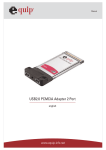
Thank you for purchasing our USB 2.0 2-Port CardBus PC Card. This handy
device is certified to USB 2.0 standards and is backward compatible with USB
1.1 devices, i.e. your existing USB 1.1 devices can function as usual. It also
allows you to connect multiple peripherals devices to your PC at the same time.
This high-speed USB 2.0 2-Ports CardBus PC Card improves performance of
connected devices by providing a full 480Mbps of data transmit speed (40 times
faster than USB 1.1 and 20% faster than IEEE 1394 FireWire), making it ideal for
instant and massive data transfer.
Package Contents
z
1 x USB 2.0 2-Port CardBus PC Card
z
z
1 x Driver CD
1 x Multi-Language Quick Installation Guide
Safety Instructions
1. Always read the safety instructions carefully.
2. Keep the User’s Manual for reference.
3. Lay this equipment on a reliable flat surface before setting it up.
4. If any of the following situations arises, please contact a service technician
for diagnostics:
z
z
z
z
The equipment has been exposed to moisture
The equipment has been dropped or damaged
If the equipment has an obvious sign of breakage
The equipment has not been working well or it is still not functioning after
you refer to the User’s Manual
2
Specification
● Compliant with Universal Serial Bus Specification Revision 2.0
● Compliant with Universal Serial Bus Specification Version 2.0 (Data rate
1.5/12/480 Mbps) transfer speeds of up to 480 Mbps
● Compliant with Open Host Controller Interface Specification for USB 1.0a
● Compliant with Enhanced Host Controller Interface Specification for USB 1.0
● Provides 2 External USB2.0 Type-A Ports
● Automatically Switches to the Peripheral's Highest Supported Speed
● Supports 32-Bit CardBus Type II Slots
● Improves peripheral performance for: Scanners, PC Cameras, Printer,
Device Storage Units, Broadband Network Connections
● Transfer Rate: 1.5/12/480 Mbps
● USB Spec: v2.0 and v1.1 Compatible
● Operating Temperature: 5°C ~ 40°C
● Storage Temperature: 0°C ~70°C
● Humidity: 0 ~ 80%
System Requirements
● IBM compatible PC or Mac system with available CardBus port
● With one of the following operating systems:
z Windows® 98 SE
z Windows® ME
z
z
z
z
Windows® 2000
Windows® XP
Windows® 2003 Server
Mac OS 10.x or above
3
Hardware Installation
Please find the CardBus port of your system, and insert the USB 2.0 2-Port
CardBus Card into the port. The USB 2.0 2 Ports CardBus Card supports
hot-swappable, there is no need to turn off your system before the installation.
Driver Installation
Windows 98SE, ME
1. After the CardBus Card has been inserted into the CardBus slot, the system
displays This wizard searches for new drives for: NEC USB Open Host
Controller, please click Next
4
2. Please select Search for the best driver for your device. (Recommended),
and click Next.
5
3. Do not select any option, and click Next.
4. Select The updated driver (Recommended), and click Next
6
5. When the system displays Windows driver file search for the device: NEC
USB Open Host Controller, please click Next.
6. Please insert Win98 SE CD-ROM into the CD-ROM Drive when the system
requests as below, and click OK.
7
7. Please browse the location of the driver in the Win98SE CD-ROM and click
OK.
8. Please click Finish.
8
9. Click Yes when the system requests you to restart your computer.
10. After the system restarted, please insert the attached CD-ROM into the
CD-ROM drive and double-click the Setup.exe file in the F:\Driver\Windows
folder (F means the CD-ROM drive).
11. Follow the instructions to finish the installation.
9
Windows 2000, XP, 2003
1. Make sure the CardBus is inserted into the CardBus slot and turn on power
then insert the attached driver CD-ROM into CD-ROM drive
2. The system will detect the new device, and there will be a pop-up window,
please click Cancel button as needed.
3. Double-click the Setup.exe file in the F:\Driver\Windows folder (F means
the CD-ROM drive).,
4. Follow the instructions to finish the installation.
10
Mac OS X
1. Click USB2EHCI-v1072.img.bin in the CD-ROM drive, and it will generate
USB2EHCI_v1064.img
2. Click USB2EHCI_v1072.img, it will generate USB2EHCI-v1072 on Desktop
3. Click USB2EHCI-v1072 on Desktop, there will be a pop-up window.
4. Click USB2EHCI_v1072.
11
5. Please click the
to make changes.
6. Enter the name and password, and click OK.
7. Click Continue
12
8. Please select a appropriate destination to install driver, and click
Continue
9. Click Install.
10. Click Continue Installation
12. Click Restart. After restarting the system, the device is ready to be used.
13
Installation Verification
Windows 98 SE
14
Windows ME
Windows 2000
15
Windows XP/2003 Server
16
Certificate
FCC
This equipment has been tested and found to comply with Part 15 of the FCC
Rules. Operation is subject to the following two conditions:
(1) This device may not cause harmful interference
(2) This device must accept any interference received, including interference
that may cause undesired operation.
CE – Certificate
This equipment is in compliance with the requirements of the following
regulations: EN 55 022: CLASS B
Disclaimer
Information in this document is subject to change without notice. The
manufacturer does not make any representations or warranties (implied or
otherwise) regarding the accuracy and completeness of this document and shall
no event be liable for any loss of profit or any commercial damage, including but
not limited to special, incidental, consequential, or other damage. No part of this
document can be reproduced or transmitted in any form by any means,
electronic or mechanical, including photocopying, recording or information
recording and retrieval systems without the express written permission of the
manufacturer.
17
Limited Warranty
TRENDware warrants its products against defects in material and workmanship,
under normal use and service, for the following lengths of time from the date of
purchase.
TU2-H2PC – 2 Years Warranty
If a product does not operate as warranted above during the applicable warranty
period, TRENDware shall, at its option and expense, repair the defective product
or part, deliver to customer an equivalent product or part to replace the defective
item, or refund to customer the purchase price paid for the defective product.
All products that are replaced will become the property of TRENDware.
Replacement products may be new or reconditioned.
TRENDware shall not be responsible for any software, firmware, information, or
memory data of customer contained in, stored on, or integrated with any
products returned to TRENDware pursuant to any warranty.
There are no user serviceable parts inside the product. Do not remove or
attempt to service the product by any unauthorized service center. This
warranty is voided if (i) the product has been modified or repaired by any
unauthorized service center, (ii) the product was subject to accident, abuse, or
improper use (iii) the product was subject to conditions more severe than those
specified in the manual.
Warranty service may be obtained by contacting TRENDware office within the
applicable warranty period for a Return Material Authorization (RMA) number,
accompanied by a copy of the dated proof of the purchase. Products returned
to TRENDware must be pre-authorized by TRENDware with RMA number
marked on the outside of the package, and sent prepaid, insured and packaged
appropriately for safe shipment.
WARRANTIES EXCLUSIVE: IF THE TRENDWARE PRODUCT DOES NOT
OPERATE AS WARRANTED ABOVE, THE CUSTOMER’S SOLE REMEDY
18
SHALL BE, AT TRENDWARE’S OPTION, REPAIR OR REPLACEMENT. THE
FOREGOING WARRANTIES AND REMEDIES ARE EXCLUSIVE AND ARE IN
LIEU OF ALL OTHER WARRANTIES, EXPRESSED OR IMPLIED, EITHER IN
FACT OR BY OPERATION OF LAW, STATUTORY OR OTHERWISE,
INCLUDING WARRANTIES OF MERCHANTABILITY AND FITNESS FOR A
PARTICULAR PURPOSE. TRENDWARE NEITHER ASSUMES NOR
AUTHORIZES ANY OTHER PERSON TO ASSUME FOR IT ANY OTHER
LIABILITY IN CONNECTION WITH THE SALE, INSTALLATION
MAINTENANCE OR USE OF TRENDWARE’S PRODUCTS.
TRENDWARE SHALL NOT BE LIABLE UNDER THIS WARRANTY IF ITS
TESTING AND EXAMINATION DISCLOSE THAT THE ALLEGED DEFECT IN
THE PRODUCT DOES NOT EXIST OR WAS CAUSED BY CUSTOMER’S OR
ANY THIRD PERSON’S MISUSE, NEGLECT, IMPROPER INSTALLATION OR
TESTING, UNAUTHORIZED ATTEMPTS TO REPAIR OR MODIFY, OR ANY
OTHER CAUSE BEYOND THE RANGE OF THE INTENDED USE, OR BY
ACCIDENT, FIRE, LIGHTNING, OR OTHER HAZARD.
LIMITATION OF LIABILITY: TO THE FULL EXTENT ALLOWED BY LAW
TRENDWARE ALSO EXCLUDES FOR ITSELF AND ITS SUPPLIERS ANY
LIABILITY, WHETHER BASED IN CONTRACT OR TORT (INCLUDING
NEGLIGENCE), FOR INCIDENTAL, CONSEQUENTIAL, INDIRECT, SPECIAL,
OR PUNITIVE DAMAGES OF ANY KIND, OR FOR LOSS OF REVENUE OR
PROFITS, LOSS OF BUSINESS, LOSS OF INFORMATION OR DATE, OR
OTHER FINANCIAL LOSS ARISING OUT OF OR IN CONNECTION WITH THE
SALE, INSTALLATION, MAINTENANCE, USE, PERFORMANCE, FAILURE,
OR INTERRUPTION OF THE POSSIBILITY OF SUCH DAMAGES, AND
LIMITS ITS LIABILITY TO REPAIR, REPLACEMENT, OR REFUND OF THE
PURCHASE PRICE PAID, AT TRENDWARE’S OPTION. THIS DISCLAIMER
OF LIABILITY FOR DAMAGES WILL NOT BE AFFECTED IF ANY REMEDY
PROVIDED HEREIN SHALL FAIL OF ITS ESSENTIAL PURPOSE.
Governing Law: This Limited Warranty shall be governed by the laws of the
state of California.
AC/DC Power Adapter, Cooling Fan, and Power Supply carry
1 Year Warranty
19
20