1
SMS
How to write an SMS
Read and view the list of received messages (Inbox)
20
Topcom Butler Outdoor 2000
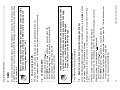
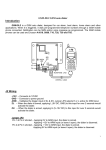
Your Butler display indicates the number of new messages you have received.
is shown
on the screen. The LED on the base is blinking.
A beep indicates you have just received a new message (can be turned ON or OFF: See
7.5.1 ).
When the number of new messages is indicated on the display.
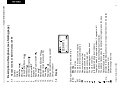
• Press the OK-key. The telephone number of the most recent message is listed first.
When the number of new messages is not displayed.
• Enter the menu by pressing /OK
• Select ‘SMS’ using the up and down keys and press OK
• Select ‘Inbox’ using the up and down keys and press OK. The telephone number
of the most recent message is listed first.
Once you have entered the INBOX:
7.3
keys and press OK
keys and press OK
Instead of entering a number with the numerical keypad, you can select
a number out of the phonebook by pressing the phonebook key
.
• Press or until the desired name is displayed.
• Press OK twice to send the SMS message
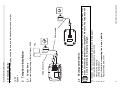
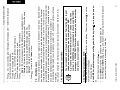
Enter the menu by pressing /OK
Select ‘SMS’ using the up and down
Select ‘Write’ using the up and down
Start writing the message and press OK
Enter the telephone number
Sending an SMS
• Press OK to send the message
The SMS will be sent out automatically.
•
•
•
•
•
7.2
The method is the same as entering a name in the phonebook (See 3.15).
To enter a space press ‘0’ and to change from capital to small character press ‘#’.
7.1
Before sending and receiving SMS text messages you need to set the
telephone number of your Network’s SMS Centre for outgoing and
incomming messages (See 7.5.3 )
You can send and receive SMS with your Butler telephone. This section tells you how to use
the SMS feature.You can store a total of 15 SMS messages sent and received, each with up
to 160 characters.
7
Topcom Butler Outdoor 2000