1
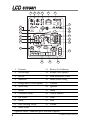
ating, or which security sensor (zone 2,4 or 7) is in Warn Away®
or alarm state.
Icon
The garage door icon—for use with optional 519H2.
and
Icons
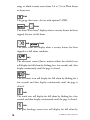
The above Warn Away® displays when a security feature has been
tripped, but not to full alarm.
and
Icons
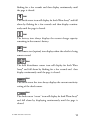
The above icons will display when a security feature has been
tripped to a full alarm condition.
Icon
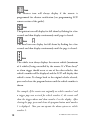
The ultrasonic sensor (detects motion within the vehicle) icon
will display for full alarm by flashing for a few seconds and then
display continuously until the page is cleared.
Icon
The tilt sensor icon will display for full alarm by flashing for a
few seconds and then display continuously until the page is
cleared.
Icon
The trunk icon will display for full alarm by flashing for a few
seconds and then display continuously until the page is cleared.
Icon
The glass breakage sensor icon will display for full alarm by
10
© 2006 directed electronics