1
➜ Illumination On/Off
Press
to select LCD backlight illumination On/Off. The
LCD backlight will illuminate when a remote button is pressed,
or an alarm status page is received.
LCD Backlight settings Programming response
ON
1-beep, backlight ON
OFF
2-beeps, backlight OFF
➜ Page notification
The remote control can be programmed to notify the user of a
page (audibly beeping if the vehicle’s status changes, e.g. door
unlocked, engine started, vehicle violation, etc.). On the LCD
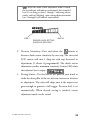
remote press
to select page On/Off. One beep is page On,
Two beeps is page Off. When programmed off the remote will not
give any notification that a page was received from the vehicle.
Note: If programmed Off, no alarms will be notified to the
remote. Command information (armed/disarmed) will be notified to the remote.
➜ To exit programming mode
The LCD remote control will exit programming mode after 5seconds of inactivity and will emit 2 long beep.
© 2006 directed electronics
17