1
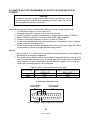
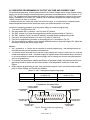
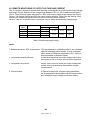
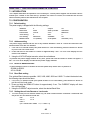
CHAPTER 7 RS232 & RS485 REMOTE CONTROL
7.1 INTRODUCTION
TM
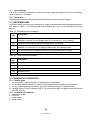
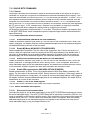
This Chapter describes the operation of the Genesys 3300W power supplies via the serial communication port. Details of the initial set-up, operation via RS232 or RS485, the command set and the
communication protocol are described in this Chapter.
7.2 CONFIGURATION
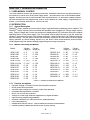
7.2.1 Default setting
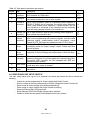
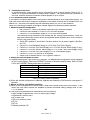
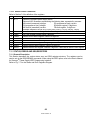
The power supply is shipped with the following settings:
-Address
-Baud-rate
-RS232/485
-Vout setting
-Iout setting
-Master/Slave
6
9600
RS232
0
Maximum
H1 (Master)
-Output
-Start up mode
-OVP
-UVL
-Foldback
-Front panel:
Off
Safe-start
Maximum
0
Off
Unlocked (UFP)
7.2.2 Address setting
The power supply address can be set to any address between 0 and 30. Follow the instructions described below to set the unit address.
1. If the unit is in Remote mode (front panel REM/LOC LED illuminated), press the REM/LOC button
to put the unit into Local mode.
2. Press and hold for the REM/LOC button for approximately 3 sec. The VOLTAGE display will indicate the unit address.
3. Using the VOLTAGE adjust encoder, select the unit address.
To preview the power supply address at any time, press and hold the REM/LOC button for approx. 3
sec. The VOLTAGE display will indicate the power supply address.
7.2.3
RS232 or RS485 selection
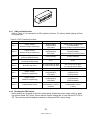
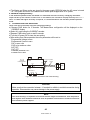
To select between RS232 or RS485 set the rear panel setup switch SW1-6 position to:
-DOWN for RS232
-UP for RS485
7.2.4
Baud Rate setting
Five optional Baud rates are possible: 1200, 2400, 4800, 9600 and 19200. To select the desired rate,
the following steps should be taken:
1. If the unit is in Remote mode (front panel REM/LOC LED illuminates), press REM/LOC button to
put the unit into Local mode.
2. Press and hold the REM/LOC button for approximately 3 sec. The CURRENT display will show
the unit Baud Rate.
3. Using the CURRENT adjust encoder, select the desired Baud Rate.
7.2.5
Setting the unit into Remote or Local mode
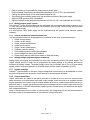
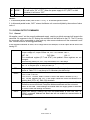
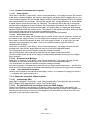
1. The unit will be put into Remote mode only via serial communication command. Commands that
will put the unit into Remote mode are:
RST
PV n
OUT n
PC n
RMT n
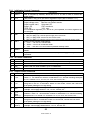
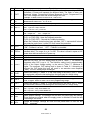
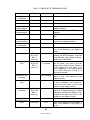
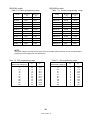
(for n values see Tables 7-4, 7-5 and 7-6)
49
83-507-013 Rev. D