1
1
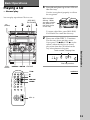
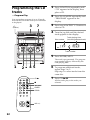
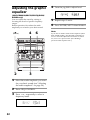
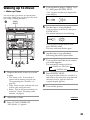
Press § and insert a recorded tape
in deck A or B.
With the side
you want to
play facing
forward
2
Press DIRECTION repeatedly to
select A to play one side. Select
ß* to play both sides.
To play both decks in succession, select
RELAY (relay play).**
3
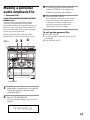
Press TAPE A (or TAPE B) (
(DECK A (or DECK B) ( on the
remote).
* The deck stops automatically after
repeating the sequence five times.
** Relay play always follows the following
sequence:
Deck A (front side), Deck A (reverse side),
Deck B (front side), Deck B (reverse side).
To
Do this
Stop play
Press p.
Fast-forward
Press 0 or ).
Rewind
Press 0 or ).
Remove the cassette Press §.
Adjust the volume
• Pressing TAPE A (or TAPE B) ( or 9 when the
power is off automatically turns the power on and
starts tape playback if there is a tape in the deck
(One Touch Play). When the system is in the
Power Saving Mode, the One Touch Play function
does not work.
• You can switch from another source to the tape
deck just by pressing TAPE A (or TAPE B) ( or
9 (Automatic Source Selection).
• When you want to reduce the hiss noise in lowlevel high-frequency signals, press DOLBY NR so
that “DOLBY NR” appears.
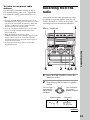
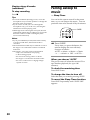
Searching for the beginning of a
track (AMS*)
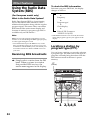
During playback, turn the jog dial the same
direction as the 9 or ( indicator to go
forward. Turn the opposite direction to go
back. (Or press = or + on the remote.)
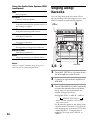
The search direction, + (forward) or – (back),
and number of songs being skipped (1~9)
appear in the display.
Example: searching forward 2 songs
* AMS (Automatic Music Sensor)
Notes
The AMS function may not operate correctly under
the following circumstances:
– When the unrecorded space between songs is less
than 4 seconds long.
– If completely different information is recorded on
the left and right channels.
– When there are continuous sections of extremely
low level or low frequency sound (like those of a
baritone sax).
– When the unit is placed near a television. (In this
case, we recommend moving the unit farther away
from the television or turning off the television.)
Basic Operations
Press TAPE A (or TAPE B) 9 to play
the reverse side. (Press DECK A (or
DECK B) ( again on the remote to play
the reverse side.) The tape starts playing.
Tips
Turn VOLUME (or press
VOL +/– on the remote).
17