1
What You Need to Begin
z
A computer to use as a management station for initial configuration of SonicWALL Email
Security software
z
Internet Explorer 5.0 or higher
z
An Internet connection
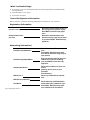
Record Configuration Information
Before continuing, record the following configuration information for your reference:
Registration Information
Serial Number:
(xxxxxx-xxxxxx)
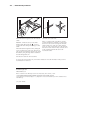
Record the serial number found on
the top right access panel of your
SonicWALL Email Security appliance.
Authentication Code:
(xxx-xxx)
Record the authentication code
found on the top right access panel
of your SonicWALL Email Security
appliance.
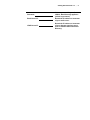
Networking Information\
Email Security IP Address:
Email Security Subnet Mask:
Gateway IP Address:
DNS Server 1:
DNS Server 2 (optional):
Host Name:
Page 4 Getting Started Guide 7.0
Select a free static IP address for
your
SonicWALL Email Security appliance that is within the range of your
local subnet.
Enter the subnet mask for the local
subnet where you are installing
your SonicWALL Email Security
appliance.
Record the IP address of your network’s
gateway device (such as your
perimeter
firewall/router).
Record your DNS Server information.
Record the fully qualified domain
name within your network for your
SonicWALL Email Security appliance (maximum 32 characters).