1
3: Hardware and Software
Installation
• Install the MP modem
This chapter provides instructions for installing the MP modem, installing the 3G Watcher software, and activating your account. The MP modem installation should be done by a professional.
Before you begin the installation, ensure that you have all the necessary components and equipment listed in “Required equipment” on page 22, and have read the “Installation overview” section below.
Installation overview
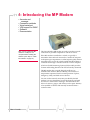
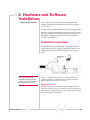
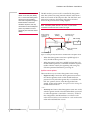
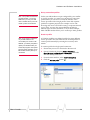
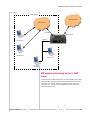
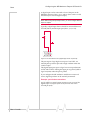
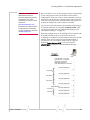
The MP modem may be installed in a vehicle (typically the trunk) and connected to a laptop computer mounted on the dashboard (as shown in the following illustration) or in an office.
Main RF/GPS
antenna
MP modem
Note: The MP modem is
designed for negative-ground
vehicles only. It will not function
in a positive-ground vehicle.
Figure 3-1: Installation of the MP modem in a vehicle equipped with a
notebook computer and a combination antenna, using the car battery for
power and ignition-sense wiring for power on/off.
MP modem housing
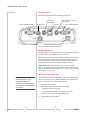
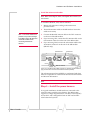
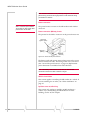
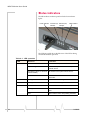
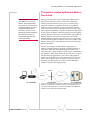
The MP modem has a rectangular metal housing. There is a connector panel on the rear, an indicator panel on the front of the housing, a reset button on top, and mounting holes along the bottom edges on either side.
Rev 1.5 Jul.08
25