1
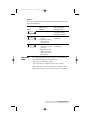
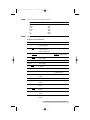
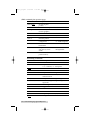
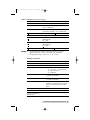
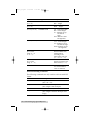
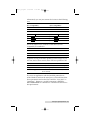
510172_r1.qxd 3/21/2001 6:25 PM Page 21 Section 4: Troubleshooting & Maintenance A. TROUBLESHOOTING Generally, when a malfunction or an abnormal condition occurs, the READY LED will keep blinking and printing and communication between the host and printer will stop. After the problems have been solved, press CANCEL to continue printing. Problems with media Blinking Indicators Possible Problems READY and MEDIA Solutions Remarks Missing gap Check the media path Check the position of label sensor. If you use continuous media, check your application software and driver. You should select Continuous. Media out Supply the media roll Media not installed Install the media roll Media jam Fix the jam If everything is OK, perform a label sensor calibration. Troubleshooting and Maintenance 21