1
Polycom OTX 300 User Guide
Classic User Interface
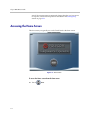
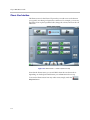
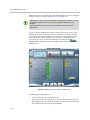
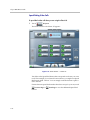
The Home screen for the Classic UI provides you with access to the buttons
you typically use during a telepresence conference. For example, you can use
the Home screen to place speed dial calls, change the volume, and view the call
indicators.
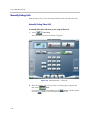
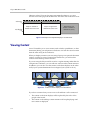
Figure 2-3 Home Screen — Classic UI (Not in a Call)
Note that the Home screen you see will differ from the one shown above
depending on which Speed Dial buttons your administrator has set up.
To access the Home screen from any other screen, simply touch the
Polycom button.
2–4