1
96
ABOUT FOCUSING
Selecting the Focus Point
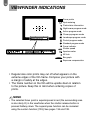
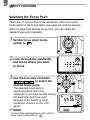
There are 11 focus points in the viewfinder. If the focus point
mode switch is set to automatic (see page 44) and the camera
does not select the desired focus point, you can select the
desired focus point manually.
1 Set the focus point mode
switch to
.
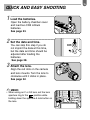
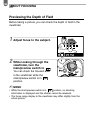
2 Look through the viewfinder
and check where you want
to focus.
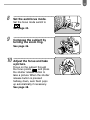
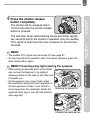
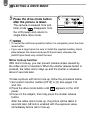
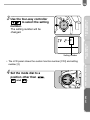
3 Use the four-way controller
to select the
desired focus point.
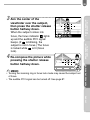
✍
The selected focus point is
superimposed in red in the
viewfinder. If you have trouble seeing
the superimposed focus point
because of the backlit or other
conditions, check it on the LCD
panel.
MEMO
• To cancel the selected focus point, set the
focus point mode switch to
.