1
KBD100, KBD200, and KBD300: Remote Keyboards
Installation:
Keyboards
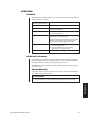
NOTE: A KBDKIT or
KBDKIT-X is required to
connect remote keyboards.
The KBDKIT consists of two
RJ-45 wall blocks and one
120V, 60 Hz to 12V, 60Hz
transformer. The KBDKIT-X
has a 230V, 50 Hz to 12V,
50 Hz transformer. Use one
wall block for each keyboard.
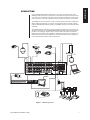
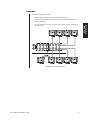
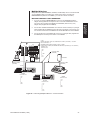
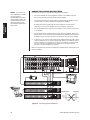
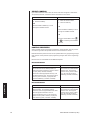
Use COM 5, 6, 7, or 8 for remote keyboard connections. Each port can support up to eight
KBD100/200/300 Series keyboards. Do not exceed a total capacity of 16 keyboards
connected to the CM6800.
If using COM 7 or 8, you will need to change the settings (the default setting is for an ASCII
device.) Refer to the Programming section for instructions.
1.
Select a suitable location for each keyboard and wall block. Wall blocks must be within
6 feet (1.8 m) of a suitable electrical outlet. Do not mount the wall blocks yet.
2.
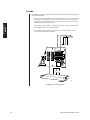
Connect each keyboard to a wall block, using the keyboard data cable supplied with
the keyboard.
3.
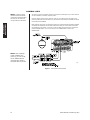
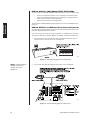
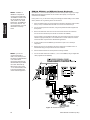
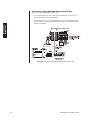
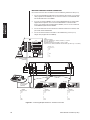
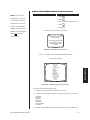
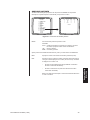
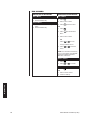
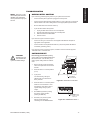
Remove the wall block covers and wire the connections between each wall block.
Connect to a final wall block (which will be connected to the CM6800).
Communication to the keyboards is RS-485. Pelco recommends using four-conductor,
shielded 18-gauge twisted pairs, such as Belden 9418 or similar cable, that meets or
exceeds the basic requirements for EIA RS-485 applications.
NOTE: If you do not
connect keyboards to
COM 7 or 8, either port can
be used for a CM9760-MDA
or an ASCII device.
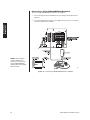
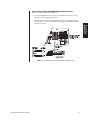
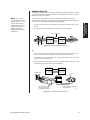
Connection instructions for
CM9760-MDA are provided
as a Pelco Technical Tip.
Refer to the note on page
17. For ASCII devices, refer
to the documentation that
comes with the equipment.
4.
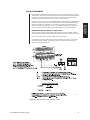
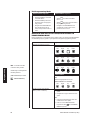
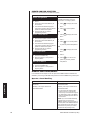
At each wall block, wire the KBDKIT(-X) transformer to pins 3 and 4. Polarity is
unimportant.
5.
Replace the cover on the wall block. Secure the wall block to a suitable surface. A
double-sided sticky pad is provided to mount the wall block.
6.
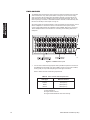
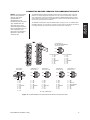
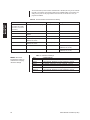
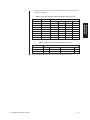
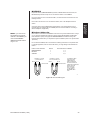
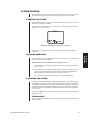
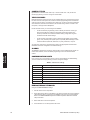
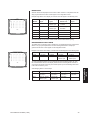
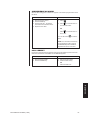
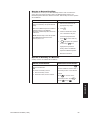
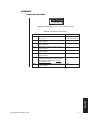
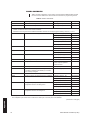
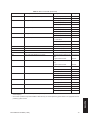
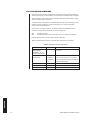
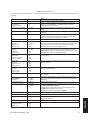
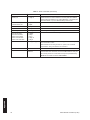
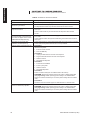
Set the address switches for each keyboard according to Table D.
7.
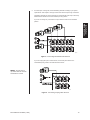
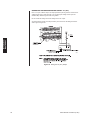
Connect the final wall block to COM 5, 6, 7, or 8 on the CM6800, using a straight data
cable (supplied with the CM6800).
00605
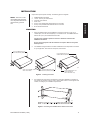
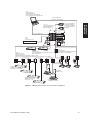
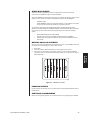
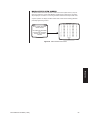
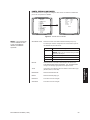
Figure 14. Remote Keyboards
22
Pelco Manual C1515M-A (11/01)