1
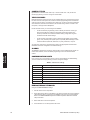
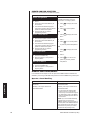
PORTS (SERIAL/COM PORTS)
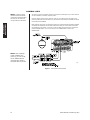
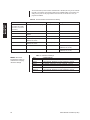
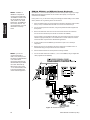
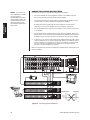
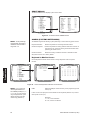
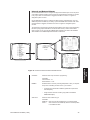
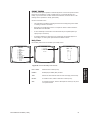
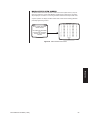
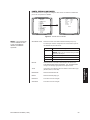
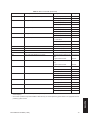
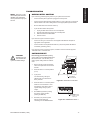
Use the Port screen to configure the settings for each device connected to a Serial/COM
port on the rear panel of the CM6800.
PELCO SWITCHER
MODEL CM6800
MAIN MENU
1
2
3
4
5
6
7
8
9
10
11
12
13
14
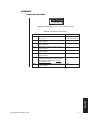
SET SERIAL PORT 05
DEVICE:
TYPE:
BAUD RATE:
PARITY:
DATA BITS:
STOP BITS:
CAMERA
LOGICAL CAMERA
MONITOR
ACCESS
TIME & DATE
PORT
PRIORITY
SEQUENCE
MACRO
ALARM CONTACTS
EVENT TIMER
SET AUXILIARY
SET PASSWORD
ABOUT CM6800
KBD300
RS485
9600
ODD
8
1
RETURN
ENGLISH
RETURN
00657
00654
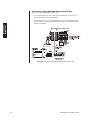
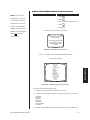
Figure 47. Access the Port Screen
NOTE: In the programming
screens “KBD300” is used
to refer to the KBD100,
KBD200, and KBD300
keyboards.
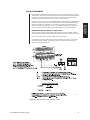
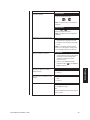
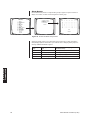
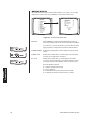
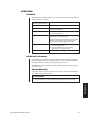
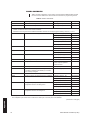
SET SERIAL PORT:
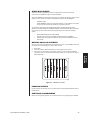
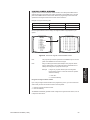
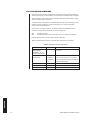
Select the number of the desired Serial Port/COM port (01-10).
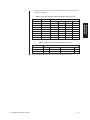
The serial port numbers correspond to the communication ports on
the CM6800 rear panel as follows:
Serial Port
Input on CM6800 rear panel
01
COM 1
NOTE: COM 1 can be accessed through a DB9
input or an RJ-45 port.
COM 2-8 RJ-45 inputs
09
PTZ-A control input
10
PTZ-B control input
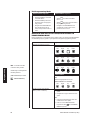
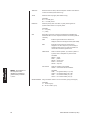
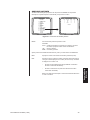
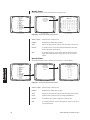
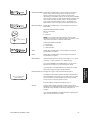
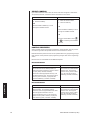
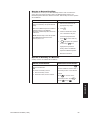
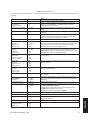
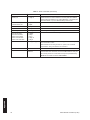
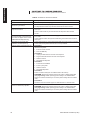
DEVICE:
Select the device connected to the COM port; the values in the
TYPE, BAUD RATE, PARITY, DATA BITS, and STOP BITS fields
change to the settings appropriate for the specific device.
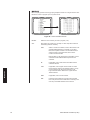
TYPE:
If necessary, and if allowed, select the desired communication type
(RS-232, RS-422, or RS-485).
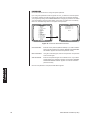
BAUD RATE:
Select the desired baud rate.
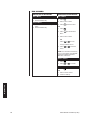
PARITY:
Select the desired parity type.
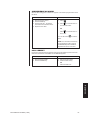
DATA BITS:
This value cannot be changed.
STOP BITS:
This value cannot be changed.
59
Port
Programming
Pelco Manual C1515M-A (11/01)
02-08