1
(non-management modules) are determined by their hardware DIP-switch settings following a return of
power.
When the Soft-switch Reload is enabled, the configurations of the 10/100M and the other managed modules
are determined by the previous software settings stored in the FLASH memory of the 10/100M following
a return of power. Each of the hardware DIP-switch settings on the module are ignored until a change is
made to the DIP-switch, then the hardware settings will take effect.
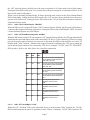
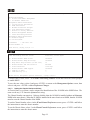
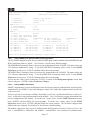
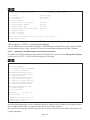
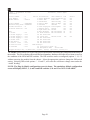
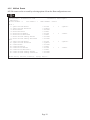
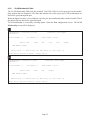
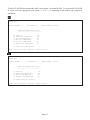
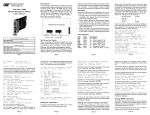
To set the Soft-switch Reload function, select 8 at the IP and Control Preferences screen, press <ENTER>
and then follow the screen prompts to change the setting.
IP and Control Preferences Screen
iConverter, Serial Agent
1:
2:
3:
Set IP
Set Subnet Mask
Set Gateway
192.168.1.220
255.255.255.0
192.168.1.1
4:
5:
Chassis Number
Chassis Name (also sysName)
1
10/100M
6:
7:
8:
Enable/Disable TELNET
Enable/Disable FTP
Enable/Disable Soft Switch Reload
Enabled
Disabled
Disabled
9: TELNET Password
10: FTP
Password
11: Serial Password
*****
Enter Choice, Management Options Screen(0), (H)elp, E(x)it >
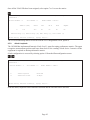
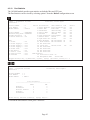
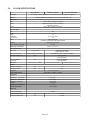
To save the new values, select 0 and press <ENTER> to return to the Management Options screen, then
select 6 and press <ENTER> to Save Preference Changes.
Page 20