1
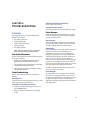
Operator Panel Menus
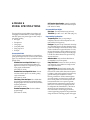
The Operator Panel for the 4650N(X) model printers has
eight main menus, described below. The 4650 model printer
does not include the PCL or the Advanced Features menu.
Default selections for each setting are marked with an
asterisk (*).
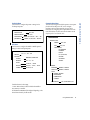
Control Menu
Use this menu to cancel the current print job or reset the
printer when the printer is in an error state. Selecting RESET
PRINTER restarts the printer and causes it to reinitialize and
perform a self-test. RESET NIC allows you to reset the
network interface parameters without rebooting.
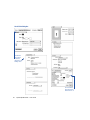
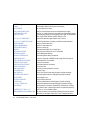
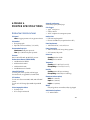
CONTROL
JOB HOLD PRINT*
RESET PRINTER
RESET NIC
CONFIRM
PARAMETERS
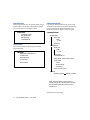
Setup Menu
Use this menu to configure the default settings for jobs that
are not sent using printer driver software, or restore the
factory default settings. The JOB DEFAULTS submenu allows
you to set the appearance of print jobs. The MISCELLANEOUS
menu allows you to set printer operation settings. Select
RESTORE DEFAULTS to return printer settings to their factory
defaults (except communications parameters).
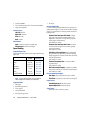
SETUP
JOB DEFAULTS
RESOLUTION**
600 x 600* / 1200 x 1200
EDGE SMOOTHING
ENABLE / DISABLE*
COPIES
1* to 999
MISCELLANEOUS
POWER SAVE
NEVER, 30 MIN., 1HOUR*,
1.5HOURS, 2HOURS, 3HOURS
JAM RECOVERY
NO / YES*
MEMORY
RESTORE DEFAULTS
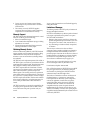
*Default selection for the setting.
70
SuperScript 4650 Series — User’s Guide
32MB, 64MB,
96MB, 128MB,
160MB, 192MB, 256MB