1
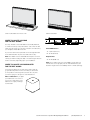
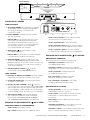
How to Connect your Bar
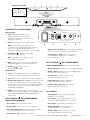
How to connect your subwoofer
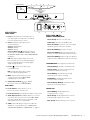
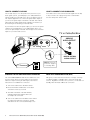
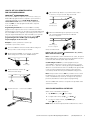
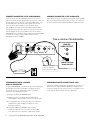
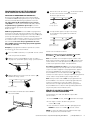
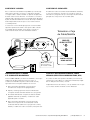
This is really easy too. You likely have many sources for your
audio signal: your TV, your DVD player, or a cable/satellite box.
The bar is able to accept audio from up to four different sources.
The simplest approach is to connect the optical audio output of
your TV to the optical input on the back of the bar. This method
will provide the highest quality audio regardless of whether you
are watching TV or watching your favorite DVD.
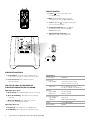
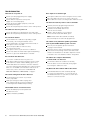
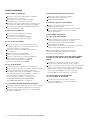
Your subwoofer receives a wireless audio signal from the bar,
so all you need to do is plug in the power cord and make
sure the main power switch is ON.
If your TV does not have an optical output, you can use the optical
output from your DVD player or your cable/satellite box to connect to the optical input on the bar. Then simply use the other bar
inputs for your other audio sources.
POWER
24V
2.5A
TV or Cable/Sat Box
SOURCE
OFF
SYNC
ANALOG
AUDIO OUTPUT
R
ON
60W
1
2
3
L
DIGITAL OPTICAL
AUDIO OUTPUT
Note: Remove the
protective cap prior
to inserting cable.
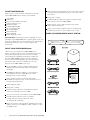
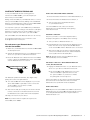
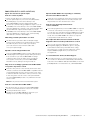
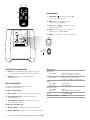
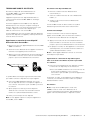
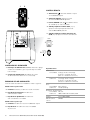
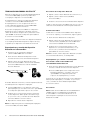
Syncing the bar and wireless subwoofer
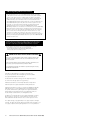
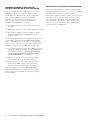
Near field communication (NFC)
The SurroundBar 6500bt bar and wireless subwoofer come
from the factory preset to work together. If the wireless
subwoofer stops receiving an audio signal, follow these
instructions to re-establish the connection.
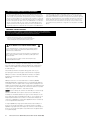
NFC gives you the ease and convenience of simply “touching”
your Bluetooth/NFC compatible device to the bar to pair and
connect. Regardless of what source you are in, or if the bar is in
standby, NFC will initiate a Bluetooth connection.
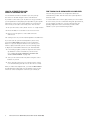
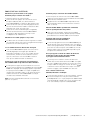
1. Turn off the subwoofer’s AC Mains switch.
2.Press and hold the SYNC button on the back
of the bar for three (3) seconds.
3.The LED on the back of the bar will blink,
indicating that the bar and the subwoofer
are ready to be connected.
4. Turn on the subwoofer’s AC Mains switch. When
the subwoofer LED turns solid green, the bar
and subwoofer are connected and ready to use.
6 Polk Customer Service 800-377-7655 (Outside USA & Canada: 410-358-3600)