1
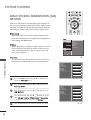
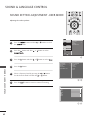
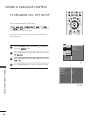
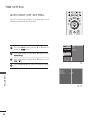
SELECTING DIGITAL AUDIO OUT
BACK
DVR
MENU
EXIT
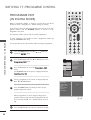
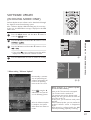
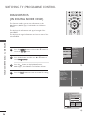
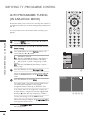
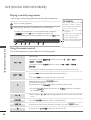
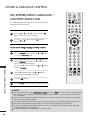
This function allows you to select your preferred Digital Audio
Output.
The TV can only output Dolby Digital if a channel is broadcast
with Dolby Digital Audio.
When Dolby digital is available, selecting Dolby Digital in the
Digital Audio Out menu will set SPDIF output to Dolby Digital.
If Dolby Digital is selected in the digital audio out menu
when dolby digital is not available, SPDIF output will be
PCM.
Even if both Dolby Digital and Audio language have been set
in a channel which broadcast Dolby Digital Audio, only Dolby
Digital will be played.
This function is not displayed in the Analogue mode.
GUIDE
OK
TIME
SHIFT
TIME
SHIFT
MARK
FAV
VOL
PR
Manufactured under license from Dolby
Laboratories. “Dolby “and the double-D symbol are trademarks of Dolby Laboratories.
2
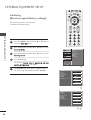
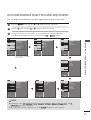
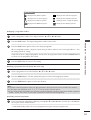
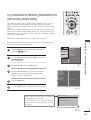
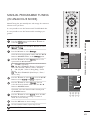
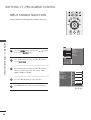
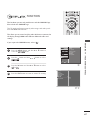
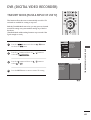
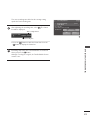
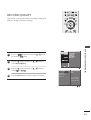
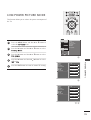
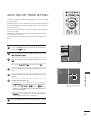
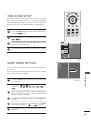
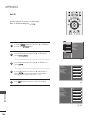
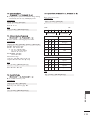
Press the G button and then D or E button to select
D i g i t a l A u d i o O u t.
3
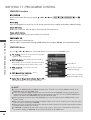
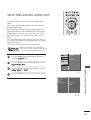
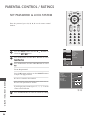
Press the G button and then D or E button to select
D o l b y D i g i t a l or P C M.
4
Press the EXIT button to return to normal TV viewing.
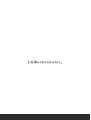
SETUPO Sound Mode
PICTUREO Auto Volume
AUDIO G Balance
TV Speaker
TIMEO
Digital Audio Out
OPTIONO
0
SCREENO
D V RO
Move
MENU
Prev.
1
Sound Mode
Auto Volume
Balance
TV Speaker
Digital Audio Out
0
G
Dolby Digital
PCM
2 3
SOUND & LANGUAGE CONTROL
1
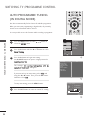
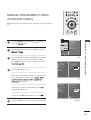
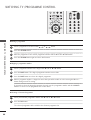
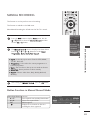
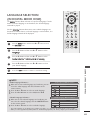
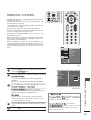
Press the MENU button and then D or E button to
select the A U D I O menu.
85