1
Overview
•
Keep the equipment away from the direct airflow of air conditioners, heaters, or ventilators.
•
Keep the equipment free of sunlight, humidity extremes, or temperature fluctuations.
•
Keep the equipment clean, dry, and free of dust.
Customizing your MFP option
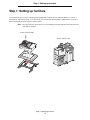
You can customize your MFP with various input, output, and memory options.
Note: Leave all components and hardware in the boxes until you are ready to install them.
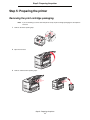
Check the boxes you received to make sure you have all the necessary components for the configuration you ordered.
CAUTION: If you are installing options after setting up the printer, turn the printer off, and unplug the
power cord from the wall outlet before continuing.
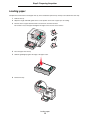
The following options are available for your MFP.
Input options
Output options
Other options
500-sheet drawer
Output expander
Duplex unit
2000-sheet drawer
5-bin mailbox
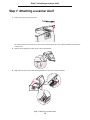
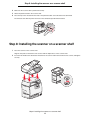
Scanner shelf
Envelope drawer
StapleSmart™ finisher
Printer stand
100-sheet outdoor media drawer
Scanner cabinet
CAUTION: Certain floor-mounted configurations require additional furniture for stability. More
information is available on our Lexmark Web site at www.lexmark.com/multifunctionprinters.
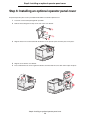
Note: Follow the steps in the order presented. If you do not have the option listed in a step, skip that step
and continue with the next one. Unless other instructions are indicated in a step, see the installation
setup instructions that came with the option.
Customizing your MFP option
8