1
Thickness (Caliper)
Thick paper is referred to as high-caliper paper and thin paper as low-caliper
paper. The paper used with the printer in duplex mode should be neither
extremely thick nor extremely thin. If you are having problems with paper jams,
multiple feeds, and faint printing, the paper may be too thin. If you are having
problems with paper jams, and blurred printing the paper may be too thick. The
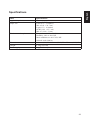
proper thickness is 0.086 to 0.110 mm (3.4 to 4.3 mils).
Moisture content
Moisture content is defined as the percent ratio of moisture to the dry mass of the
paper. Moisture can affect the paper’s appearance, feedability, curl, electrostatic
properties, and toner fusing characteristics.
The moisture content of the paper varies with the relative humidity in the room.
When the relative humidity is high and the paper absorbs moisture, the paper
edges expand, becoming wavy in appearance. When the relative humidity is low
and paper loses moisture, the edges shrink and tighten, and print contrast may
suffer.
Wavy or tight edges can cause misfeeding and alignment anomalies. The moisture
content of the paper should be 4% to 6%.
To ensure the proper moisture content it is important to store the paper in a
controlled environment. Some tips on moisture control are:
❐
❐
❐
❐
❐
20
Store paper in a cool, dry location.
Keep the paper in its wrapping as long as possible. Rewrap paper that is
not in use.
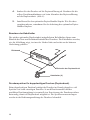
Store paper in its original carton. Place a pallet etc. under the carton to
separate it from the floor.
After removing paper from storage, let it stand in the same room as the
printer for 48 hours before use.
Avoid leaving paper where it is exposed to heat, sunlight, or damp.