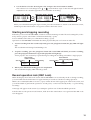
1
3 seconds
or longer.
Updating the software (SoftwareUpdate)
You can download the latest version of the software update
system files from the Korg website (www.korg.com). For
details on the procedure, refer to the Korg website.
Preparing for the update
Use a USB cable to connect the MR-2000S to your computer (see "Using the MR-2000S with your computer" on
page 33), and copy the downloaded system file to the root
folder of MR-2000S's hard disk.
Update procedure
If a power failure or similar accident occurs while updating the
system, the MR-2000S may become inoperable. If this occurs,
please contact your local Korg distributor.
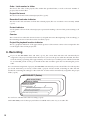
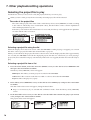
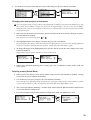
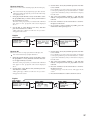
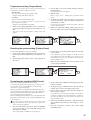
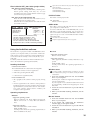
1. Press the menu button, and in the menu list (MENU)
screen, use the dial to select "SYSTEM" and press the
enter button to confirm.
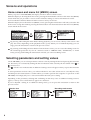
The system setting (SYSTEM) screen will appear.
32
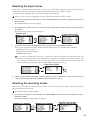
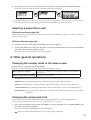
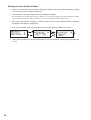
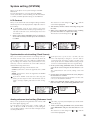
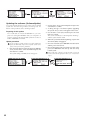
2. Use the dial to select "SoftwareUpdate" and press the
enter button to confirm.
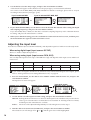
3. A dialog message of "Software Update: Upgrading
the system. Are you sure?" will appear in the screen.
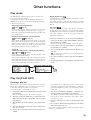
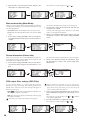
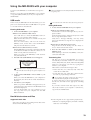
4. Use the dial to select [Yes] and then press the enter
button to confirm.
The screen will indicate "SoftwareUpdate: Working..."
and the system will be loaded.
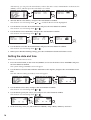
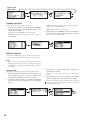
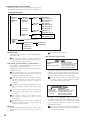
5. When the system has finished updating, "System will
shut down. [OK]" will apppear.
6. Press the enter button; the MR-2000S will shut down
and the power will turn off.
7. Press and hold down the power button to turn on the
power; the MR-2000S will start up with the newly
loaded system.
If the update fails, a message will appear. Make a note of the
contents, and take the appropriate action (p.37 "Various messages").